In the fast-paced world of business, maintaining efficiency and organization is paramount. Notion, a versatile workspace tool, has rapidly gained popularity among professionals looking to streamline their processes. With its robust features, Notion can serve as a project management tool, note-taking app, and database all in one, making it an invaluable asset for businesses of all sizes. This article explores some of the best Notion tools and integrations that can enhance productivity and simplify workflow.
Table of Contents
Understanding Notion’s Core Features
Before diving into the specific tools that can help streamline your business, it’s essential to understand what makes Notion a top choice for many professionals. Notion is built on a flexible system of blocks that can be customized to create a variety of content types, including:
- Notes & Documents: Create rich text documents that can include images, videos, and links.
- Task Lists: Organize tasks with checkboxes and assign deadlines.
- Databases: Build custom databases to track projects, clients, or any other information.
- Wiki: Compile a knowledge base for your team, complete with searchable documentation.
Essential Notion Tools for Businesses
While Notion itself is a powerful tool, its capabilities can be significantly enhanced through various integrations and templates. Below are some of the best tools and resources for streamlining business operations within Notion.
1. Notion Templates
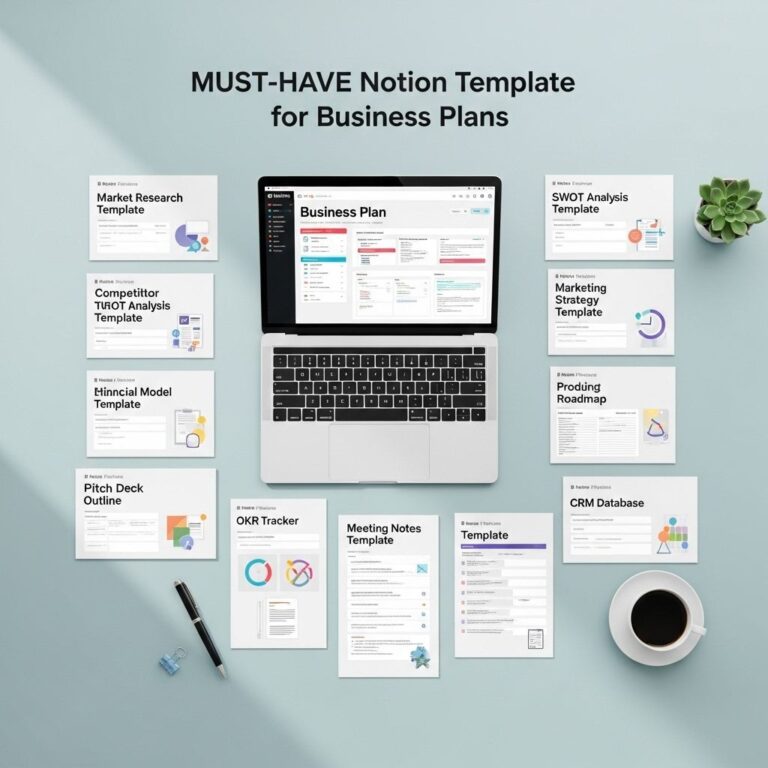
Using templates can save time and ensure consistency across projects. Here are some highly recommended templates:
- Project Management Template: A comprehensive layout for tracking project milestones, assigning tasks, and collaborating with team members.
- Meeting Notes Template: A structured format for recording meeting agendas, notes, and action items.
- CRM Template: Designed for managing customer relationships, tracking interactions, and setting follow-up reminders.
2. Notion Integrations
Integrating Notion with other tools can enhance its functionality. Consider these integrations:
| Integration | Description |
|---|---|
| Zapier | Automate tasks between Notion and other apps such as Google Sheets, Slack, and Trello. |
| Google Calendar | Sync your calendar to manage events directly from Notion. |
| Slack | Receive notifications and updates in your Slack channels when changes occur in Notion. |
| Figma | Embed design files directly in Notion for easy access and collaboration. |
Advanced Strategies for Using Notion
To fully leverage Notion’s capabilities, consider the following strategies:
1. Create a Dashboard
A Notion dashboard serves as a central hub for all your key information. Here’s how to build an effective dashboard:
- Identify Key Metrics: Determine what metrics are essential for your business.
- Utilize Databases: Create linked databases for projects, tasks, and goals.
- Integrate Visuals: Use charts and images to make the dashboard visually appealing.
2. Utilize Keyboard Shortcuts
To enhance productivity, familiarize yourself with Notion’s keyboard shortcuts. Here are some useful ones:
- /: Open the block menu to insert various elements quickly.
- Cmd/Ctrl + B: Bold selected text.
- Cmd/Ctrl + K: Create a link.
- Cmd/Ctrl + P: Open the quick find dialog.
Case Studies: Companies Excelling with Notion
Many companies have successfully implemented Notion to enhance their operations. Here are a couple of examples:
1. Buffer
Buffer, a well-known social media management tool, uses Notion to organize its internal documentation, product roadmaps, and team meetings. This centralized approach allows for seamless information sharing and project tracking.
2. Superhuman
The email client Superhuman leverages Notion for project management and team collaboration, enabling swift onboarding processes and efficient task tracking. This has led to faster project completion times and improved team dynamics.
Conclusion
Embracing Notion as a central tool in your business can lead to significant improvements in productivity and organization. By utilizing templates, integrations, and advanced strategies, you can tailor Notion to suit your specific needs, allowing your team to focus on what truly matters—growing your business. Whether you are a freelancer, a small startup, or a large corporation, the tools available within Notion are designed to streamline your operations and foster collaboration.
FAQ
What are the best Notion tools for streamlining business processes?
Some of the best Notion tools for streamlining business processes include Notion Templates, Notion Automations, Notion API integrations, and collaborative databases.
How can I use Notion to improve team collaboration?
You can use Notion to improve team collaboration by creating shared workspaces, using comment features, and integrating task management tools within Notion.
Are there specific Notion templates for project management?
Yes, there are various Notion templates specifically designed for project management that include timelines, Kanban boards, and task trackers.
Can Notion integrate with other business tools?
Yes, Notion can integrate with other business tools such as Google Drive, Slack, and Trello through its API and third-party integration services.
How can I automate tasks in Notion?
You can automate tasks in Notion using tools like Zapier or Automate.io to connect Notion with other applications, allowing for seamless workflows.