In today’s digital age, protecting your data has never been more crucial. With increasing instances of cyber threats, data breaches, and identity theft, ensuring the security and privacy of personal and professional information is paramount. However, many individuals and small businesses believe that robust data protection requires significant financial investment. The good news is that there are effective strategies to safeguard your data without breaking the bank. This article explores practical and low-cost methods to enhance your data security.
In today’s digital age, protecting your data doesn’t have to break the bank. Implementing simple, affordable measures such as using password managers, enabling two-factor authentication, and making regular backups can significantly enhance your security. For those seeking a creative distraction while securing your data, check out these beer label design ideas.
Table of Contents
Understanding Data Security Risks
Before diving into cost-effective data protection strategies, it’s essential to understand the types of risks you may face:
- Malware and Ransomware: Malicious software can steal, encrypt, or delete your data.
- Phishing Attacks: Deceptive emails or messages trick you into revealing sensitive information.
- Data Breaches: Hackers may exploit vulnerabilities to access confidential data.
- Physical Theft: Losing devices like laptops or smartphones can lead to unauthorized access.
Essential Strategies for Data Protection
1. Use Strong Passwords
Passwords are the first line of defense against unauthorized access. To create strong passwords, consider the following tips:
- Use a mix of upper and lower case letters, numbers, and special characters.
- Avoid using easily guessable information like birthdays or names.
- Consider using passphrases—a sequence of words that are easy to remember but difficult to guess.
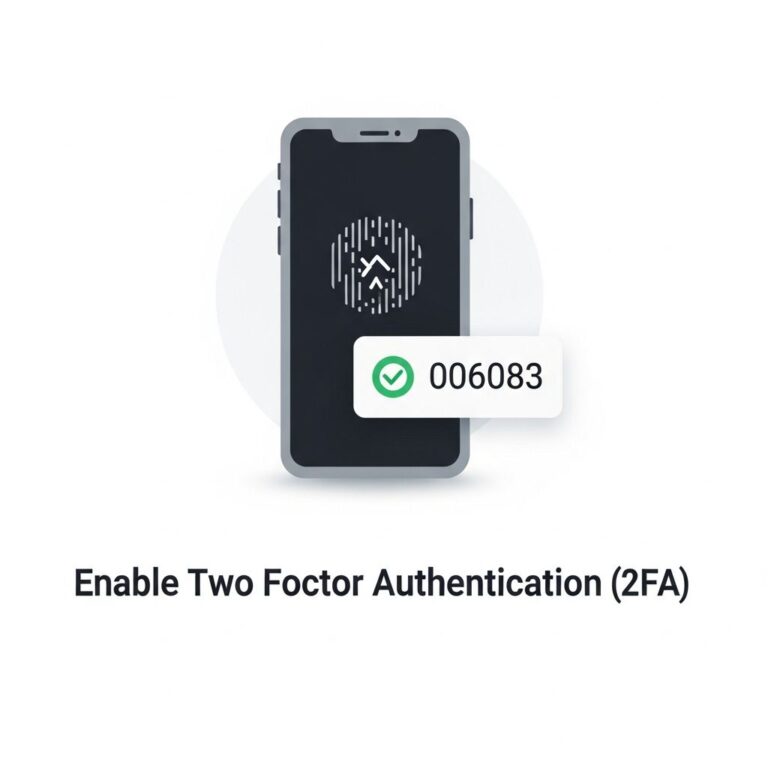
2. Enable Two-Factor Authentication (2FA)
Two-factor authentication adds an extra layer of protection by requiring not only a password but also a second form of verification, such as a text message or authentication app code. Follow these steps to enable 2FA:
- Check if the services you use offer 2FA.
- Choose your preferred method of authentication (SMS, app, etc.).
- Follow the service’s instructions to link your phone or authentication app.
3. Keep Software Updated
Software updates often contain critical security patches that protect against known vulnerabilities. Make it a habit to:
- Enable automatic updates on your devices whenever possible.
- Regularly check for updates on applications and software you frequently use.
- Uninstall any software that is no longer supported or no longer necessary.
4. Use Free Security Software
While premium security solutions can be effective, several free options offer adequate protection for those on a budget. Here are a few recommendations:
| Software | Type | Platform |
|---|---|---|
| Avast Free Antivirus | Antivirus | Windows, macOS, Android |
| Malwarebytes Free | Malware Removal | Windows, macOS, Android |
| Bitdefender Antivirus Free | Antivirus | Windows |
Data Backup Techniques
Backing up your data is essential in the event of a breach, data loss, or hardware failure. Here are some budget-friendly options:
1. Cloud Storage Solutions
Many providers offer free or low-cost cloud storage. Some popular options include:
- Google Drive: Offers 15 GB of free storage, integrates with various applications.
- Dropbox: Provides 2 GB of free storage, easy sharing options.
- Microsoft OneDrive: Offers 5 GB of free storage, particularly useful for Windows users.
2. External Hard Drives
Investing in an external hard drive can be a one-time cost solution for data backup. Benefits include:
- Large storage capacity for backing up multiple devices.
- Physical control over your data.
- No ongoing subscription fees.
3. Automated Backup Services
Consider using free backup software that automates the process of backing up your files. Options include:
- EaseUS Todo Backup Free: Offers essential backup features with a user-friendly interface.
- Backblaze: Offers a free trial, ideal for setting up backups without costly subscriptions.
Safe Browsing Habits
1. Be Cautious with Public Wi-Fi
Public Wi-Fi networks are notorious for their lack of security. To protect your data:
- Avoid accessing sensitive information while connected to public networks.
- Use a Virtual Private Network (VPN) to encrypt your internet traffic. Many affordable or free VPN services are available.
2. Check for Secure Connections
Always ensure that the websites you visit use HTTPS, indicated by a padlock symbol in the address bar. This means the connection is encrypted. Avoid entering personal information on sites that do not have this security feature.
The Importance of Education and Awareness
Staying informed about the latest cybersecurity trends and threats is vital. Here are some steps to enhance your knowledge:
- Follow reputable cybersecurity blogs and news sites to stay updated.
- Participate in online courses or webinars focused on data security.
- Join community forums for discussions on best practices and experiences.
Conclusion
Protecting your data doesn’t have to be a costly endeavor. By implementing the strategies outlined in this article, you can create a robust defense against potential cyber threats while staying within your budget. Remember, the key to effective data protection lies in a proactive approach, continuous education, and adopting good habits. Start today by assessing your current security measures and making incremental improvements to ensure your data remains safe and secure.
FAQ
What are the best budget-friendly ways to protect my data?
Using strong passwords, enabling two-factor authentication, and regularly updating software are effective and low-cost methods to protect your data.
Is free antivirus software effective for data protection?
Yes, many free antivirus programs offer decent protection against malware and viruses, but it’s essential to choose reputable options and keep them updated.
How can I securely back up my data without spending much?
Utilizing cloud storage services with free tiers or external hard drives can provide secure and cost-effective backup solutions.
What are some inexpensive tools for encrypting sensitive data?
There are several free or low-cost encryption tools available, like VeraCrypt and AxCrypt, that can help secure your sensitive files effectively.
How often should I update my passwords for better data protection?
It’s recommended to update your passwords every 3-6 months and use unique passwords for different accounts to enhance security.