Creating a stunning logo is a vital part of building a brand’s identity. A well-designed logo can communicate professionalism, trustworthiness, and creativity, all at a glance. Whether you’re establishing a new business or refreshing your existing brand, the logo is often the first impression customers will have. In this article, we will delve into the key steps and principles of logo design that will help you craft a remarkable logo that resonates with your target audience.
Creating a memorable logo is crucial for branding, and it’s easier than you might think. In just five easy steps, you can design a stunning logo that captures your brand’s essence. For great inspiration and resources, explore vector logo templates.
Table of Contents
Understanding Logo Design
Before diving into the design process, it’s essential to understand what a logo is and its purpose. A logo is a symbolic representation of your brand, and it serves several key functions:
- Brand Recognition: A strong logo makes your brand easily recognizable.
- Trust and Credibility: A professional-looking logo instills confidence in your audience.
- Communication: Logos convey the essence of your brand’s message, values, and personality.
Defining Your Brand Identity
Every great logo begins with a clear understanding of your brand’s identity. To create a logo that truly represents your brand, consider the following:
1. Identify Your Audience
Understanding who your target audience is will guide your design choices. Consider:
- Demographics: Age, gender, location
- Psychographics: Interests, values, behavior
2. Define Your Brand Personality
Is your brand fun and playful, or serious and professional? Defining your brand’s personality can help shape the logo’s style. Make a list of adjectives that describe your brand. For example:
| Adjective | Description |
|---|---|
| Modern | Contemporary and current |
| Elegant | Simple yet classy |
| Dynamic | Full of energy and movement |
Research and Inspiration
Now that you have a clear understanding of your brand, it’s time to gather inspiration. Research competitors and analyze their logos to identify what works and what doesn’t. Take note of:
- Colors used
- Typography styles
- Iconography
Finding Design Inspiration
Explore various platforms for design inspiration:
- Behance: Showcase platform for creative work.
- Dribbble: A community of designers showcasing their work.
- Pinterest: A visual discovery engine for design ideas.
Choosing the Right Elements
With your research in mind, it’s time to decide on the design elements that will make up your logo. These elements include:
1. Color
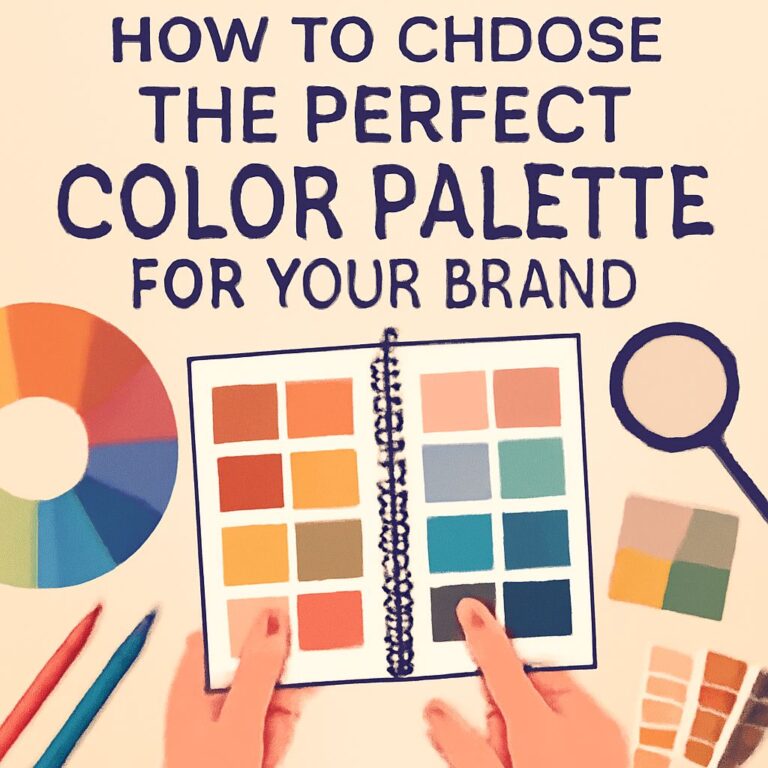
Colors evoke emotions and communicate messages. Here are some common color associations:
- Red: Passion, energy, urgency
- Blue: Trust, calmness, professionalism
- Green: Growth, health, tranquility
- Yellow: Happiness, optimism, creativity
2. Typography
The font you choose can impact the perception of your brand. Consider the following types of fonts:
- Serif Fonts: Traditional and elegant
- Sans-serif Fonts: Clean and modern
- Script Fonts: Creative and formal
3. Iconography
Decide if you want an icon in your logo. Icons can be abstract shapes, or they can represent something related to your business. Think about:
- How the icon complements your brand
- Its scalability and versatility
Sketching and Conceptualization
Now that you have a plan, it’s time to brainstorm and sketch your ideas. Don’t be afraid to experiment – this is the stage where creativity flourishes!
1. Brainstorming
Gather a team or collaborate with a designer. Use mind mapping to explore different ideas. Don’t limit yourself; jot down everything that comes to mind.
2. Sketching
Start sketching out your ideas. You don’t need to be an artist; rough sketches will do. Focus on:
- Different layouts
- Variations of icons
- Placement of texts
Digital Design
Once you have a few sketches that resonate with your brand, it’s time to transfer them to a digital format. Use design software like Adobe Illustrator, CorelDRAW, or free alternatives like Inkscape.
1. Vector Design
Ensure your logo is designed as a vector graphic. This allows for scalability without losing quality. Use tools like the Pen tool to create clean lines and shapes.
2. Experiment with Variations
Play with different color schemes, fonts, and layouts. Create multiple variations to see how they look in different contexts.
Feedback and Revisions
After creating a few initial designs, gather feedback from trusted sources. Consider:
- Is the logo recognizable at a glance?
- Does it communicate the intended message?
- What improvements can be made?
Iterate
Based on the feedback, make necessary revisions. Don’t hesitate to go back to the drawing board if needed. Iteration is a crucial part of the design process.
Finalizing Your Logo
Once you are satisfied with the design, it’s time to finalize your logo. Ensure that you have:
- A scalable vector file (SVG)
- High-resolution PNG and JPEG files
- A monochrome version for different applications
Creating a Brand Style Guide
A brand style guide is essential for maintaining consistency in how your logo is used. Include guidelines on:
- Color codes
- Font usage
- Spacing and sizing rules
Conclusion
Creating a stunning logo requires a blend of creativity, research, and thoughtful execution. By following these steps, you will be on your way to designing an impactful logo that resonates with your audience and stands the test of time. Remember, your logo is the face of your brand; invest the time and effort to create something meaningful!
FAQ
What are the essential elements of a stunning logo?
A stunning logo should include simplicity, relevance, versatility, and memorability. It should effectively convey the brand’s message and identity.
What design software is best for creating a logo?
Popular design software for creating logos include Adobe Illustrator, CorelDRAW, and free alternatives like Inkscape and Canva.
How can I choose the right colors for my logo?
Choose colors that reflect your brand’s personality and values. Consider using color psychology to evoke specific emotions and associations.
Should I hire a professional designer or create my own logo?
It depends on your budget and skills. Hiring a professional can ensure a polished outcome, while creating your own logo can be cost-effective and personal.
What file formats should I save my logo in?
Save your logo in multiple formats such as SVG for scalability, PNG for transparency, and JPEG for general use.
How can I ensure my logo stands out from competitors?
Research your competitors’ logos and aim for a unique design that reflects your brand’s unique value proposition while remaining relevant to your industry.