Creating content consistently on YouTube can be a daunting task, especially for creators who are juggling multiple responsibilities. Batch production is an effective strategy that allows you to produce multiple videos in one sitting, maximizing your time and effort. This article will guide you through the best practices for batching YouTube content, enabling you to enhance your productivity and maintain a steady stream of engaging videos for your audience.
Mastering YouTube content batching can significantly enhance your productivity and streamline your workflow. By planning and grouping your video production tasks, you can create a consistent posting schedule that keeps your audience engaged. For those looking to elevate their visuals, check out these free tube designs to complement your videos.
Table of Contents
Understanding Batch Production
Batch production refers to the process of creating multiple units of a product in one go, which in this case, translates to creating multiple videos at once. This technique is not only time-efficient but also helps in maintaining a consistent quality across your videos. Here are some benefits of batch production:
- Reduced setup time: By preparing in advance and working on several videos at once, you decrease the time spent setting up your recording environment.
- Enhanced focus: Working on similar tasks in a single session can boost creativity and concentration.
- Streamlined post-production: Editing multiple videos together can make your editing workflow more efficient.
Planning Your Content
Before diving into batch production, a solid plan is essential. Here are the steps to plan your content effectively:
1. Define Your Theme and Audience
Understanding your target audience and defining a consistent theme for your content will help in creating videos that resonate with viewers. Consider the following:
- What topics are most appealing to my audience?
- How can I present my unique perspective on these topics?
- What formats (vlogs, tutorials, reviews) work best for my content?
2. Create a Content Calendar
A content calendar is an invaluable tool for organizing your batch production schedule. This calendar should include:
- Video titles and descriptions
- Recording dates
- Editing deadlines
- Upload schedule
3. Develop a Script or Outline
Having a script or outline for each video can greatly improve your efficiency during recording. Consider the following points:
- Write a hook to grab viewers’ attention.
- Outline the main points you want to cover.
- Include a call-to-action encouraging viewers to like, subscribe, or comment.
Setting Up Your Recording Environment
Your recording environment plays a crucial role in achieving high-quality content. Here’s how to create an optimal setup:
1. Location
Choose a quiet space with good lighting. Natural light is ideal, but if you are recording indoors, consider investing in softbox lights for consistency.
2. Equipment
A good setup typically includes:
- Camera: DSLR, mirrorless, or high-quality smartphone camera.
- Microphone: Lavalier, shotgun, or USB microphone for clear audio.
- Tripod: A sturdy tripod to stabilize your shots.
3. Background
Your background should be visually appealing but not distracting. Consider using:
- A plain wall or backdrop.
- Bookshelves or plants for a personal touch.
- Branded elements (logos or graphics) to reinforce your identity.
Recording Your Videos
Once everything is set up, it’s time to record your videos. Here are some tips to keep in mind:
1. Batch Record
Instead of recording one video at a time, record multiple videos in a single session. This can include:
- Filming several tutorials back-to-back.
- Creating a series of related vlogs in one go.
2. Stay Consistent
Maintain the same energy and delivery style for all videos to ensure a cohesive brand identity. Practice your delivery and try different takes if necessary.
3. Use Teleprompters (if needed)
If you’re struggling to remember your script, consider using a teleprompter app on your tablet or smartphone to guide you.
Post-Production Tips
Editing is as crucial as recording when it comes to video creation. Here’s how to streamline your post-production process:
1. Organize Your Files
Keep your raw footage organized in folders labeled by video title or date. This will simplify the editing process.
2. Use Editing Software
Choose a user-friendly video editor that suits your skill level. Popular options include:
- Adobe Premiere Pro
- Final Cut Pro
- DaVinci Resolve
3. Create Templates
Using templates for intros, outros, and lower thirds can save you time and ensure consistency across your videos.
Scheduling and Uploading
Once your videos are edited, the next step is to schedule and upload them effectively:
1. Optimize Video Metadata
Ensure that your video title, description, and tags are well-optimized for search. Consider the following:
- Use relevant keywords that your target audience is searching for.
- Craft engaging thumbnails to attract clicks.
2. Scheduling
Use YouTube’s scheduling feature to upload videos at optimal times for your audience. This will help maximize views and engagement.
3. Monitor Analytics
After uploading, keep an eye on your analytics to see how your videos are performing. Look for patterns in viewer engagement to inform future content.
Conclusion
Batch producing YouTube content is a fantastic strategy for creators looking to boost productivity and maintain a steady flow of quality videos. By planning your content, setting up a productive recording environment, and streamlining post-production, you can significantly enhance your video creation process. Embrace these techniques, and soon you’ll be able to focus on what you love most—creating and connecting with your audience.
FAQ
What is batch content creation for YouTube?
Batch content creation for YouTube involves planning and producing multiple videos in one sitting to streamline the content creation process and save time.
What are the benefits of batching YouTube videos?
Batching YouTube videos helps maintain consistency, reduces the stress of last-minute content creation, and allows for better planning and scheduling.
How can I effectively plan my YouTube batch content?
To effectively plan your YouTube batch content, start by brainstorming video ideas, creating an outline for each video, and scheduling filming days to maximize productivity.
What tools can I use to batch produce YouTube videos?
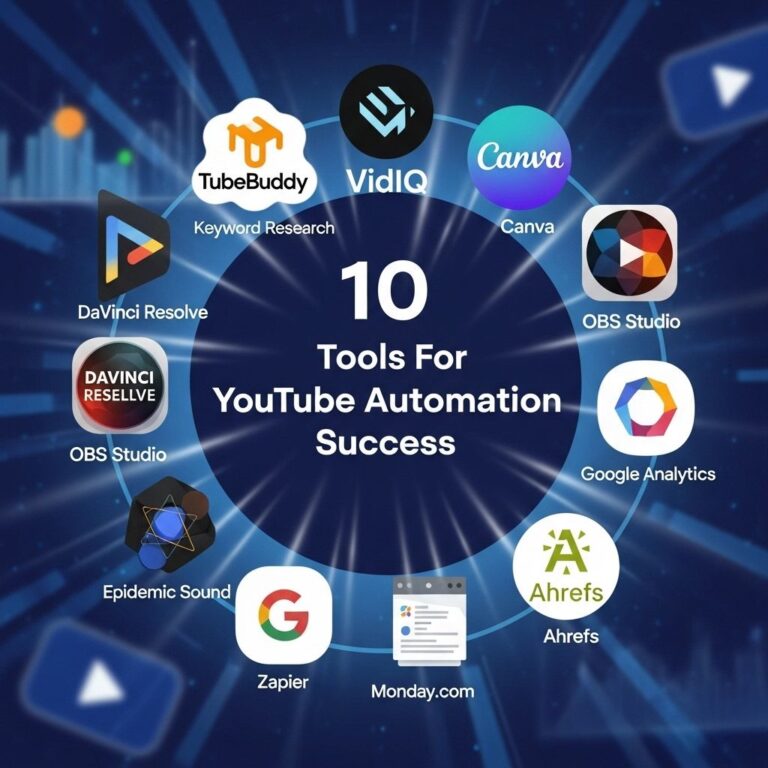
Tools like Trello for organization, a good camera for filming, and editing software like Adobe Premiere Pro or Final Cut Pro can enhance your batch production process.
How often should I batch my YouTube content?
The frequency of batching YouTube content depends on your schedule and content goals, but many creators find that batching once a month works well to maintain a consistent upload schedule.