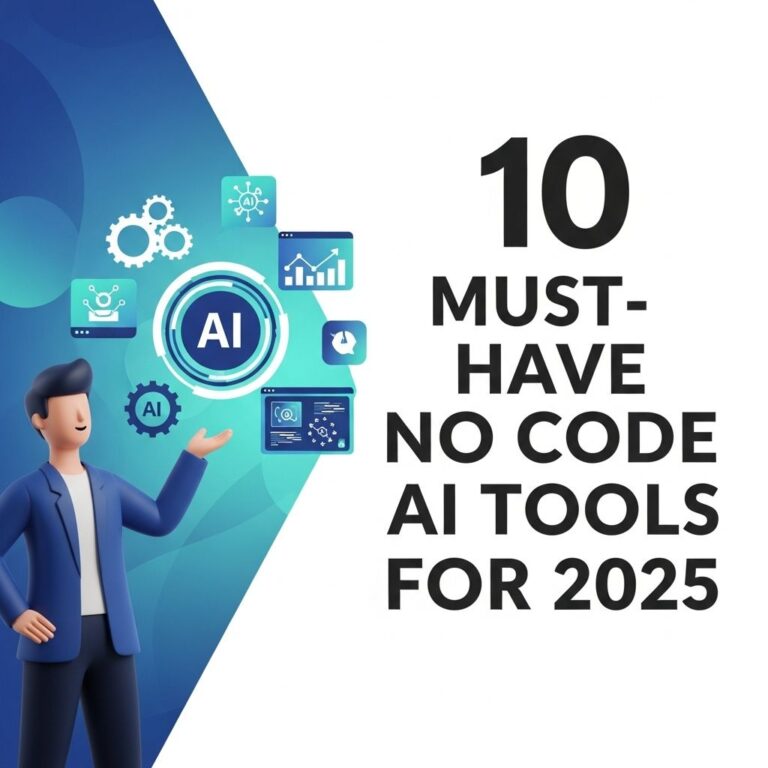
As technology continues to evolve, the landscape of application development is rapidly changing. The rise of no-code tools is revolutionizing how businesses and individuals approach software creation, making it more accessible to non-technical users. In 2025, a range of no-code platforms will dominate the market, streamlining processes and enhancing productivity. This article delves into the top five no-code tools that are set to lead the charge in 2025, emphasizing their unique features, use cases, and benefits.
As we move toward 2025, the rise of no-code tools has transformed the way individuals and businesses approach development and design. In this article, we will explore the top five no-code tools that are essential for anyone looking to streamline their workflow and enhance productivity. Additionally, for those venturing into branding projects, consider using bag mockups for branding to elevate your presentations.
Table of Contents
Understanding No-Code Development
No-code development refers to the practice of creating applications without writing traditional code. These platforms use visual programming interfaces, enabling users to build and customize applications through a drag-and-drop approach. The no-code movement is gaining momentum as businesses seek agility, faster project turnaround, and reduced costs.
Why Choose No-Code Tools?
- Accessibility: No-code tools democratize app development, allowing individuals without programming knowledge to create functional applications.
- Speed: Projects that would typically take weeks or months can be completed in days or even hours.
- Cost-Effective: Reducing reliance on developers can significantly lower development costs.
- Iterative Development: Rapid prototyping and easy changes lead to more innovative solutions.
1. Bubble
Bubble is one of the most powerful no-code platforms available, offering extensive functionality for building web applications. With its robust visual editor and database management capabilities, users can create complex apps that can scale.
Features of Bubble:
- Drag-and-drop interface for UI design.
- Built-in database for data management.
- API integration for connecting to external services.
- Responsive design tools for mobile optimization.
Use Cases:
- Creating SaaS applications.
- Building marketplaces.
- Launching MVPs for startups.
2. Adalo
Adalo specializes in mobile app development, making it easy to build fully functional iOS and Android applications without coding. Its focus on mobile devices makes it an excellent choice for businesses looking to enter the app market quickly.
Features of Adalo:
- Intuitive drag-and-drop builder for app screens.
- Pre-built components like forms, lists, and buttons.
- Real-time database for data handling.
- Push notifications and user authentication capabilities.
Use Cases:
- Personal project management apps.
- Social networking platforms.
- Event-based applications.
3. Webflow
For those looking to create stunning websites without needing to code, Webflow is the perfect solution. It combines design flexibility with CMS capabilities, allowing users to build responsive sites efficiently.
Features of Webflow:
- Visual website builder with a high degree of customization.
- Integrated CMS for managing content.
- SEO-friendly features for better search rankings.
- Animation and interaction design tools.
Use Cases:
- Portfolio websites.
- Corporate landing pages.
- E-commerce stores.
4. Airtable
Airtable bridges the gap between spreadsheets and database management. It’s ideal for project management, content planning, and collaboration, allowing teams to organize their workflows more effectively.
Features of Airtable:
- Customizable tables for data organization.
- Collaboration tools for team projects.
- Integration with various apps like Slack and Zapier.
- Rich field types including attachments, checkboxes, and dropdowns.
Use Cases:
- Content calendars for marketing teams.
- Inventory management systems.
- Event planning trackers.
5. Zapier
Zapier is an automation tool that connects different applications together, allowing users to automate workflows without any coding. Its extensive integration options make it a powerful companion for any no-code tool.
Features of Zapier:
- Integration with over 2,000 applications.
- Automated workflows (Zaps) that save time.
- User-friendly interface for creating automation.
- Conditional logic for advanced workflow setups.
Use Cases:
- Automating email marketing tasks.
- Syncing data between different platforms.
- Managing customer interactions across multiple tools.
Choosing the Right No-Code Tool
Selecting the right no-code tool depends on your specific needs. Here are some factors to consider:
Assessment Criteria:
- Project Type: Determine whether your focus is on web apps, mobile apps, or process automation.
- Team Skill Level: Assess the technical ability of team members using the tool.
- Budget: Consider the pricing models of the platforms and their ROI.
- Scalability: Ensure the tool can grow with your business needs.
The Future of No-Code Development
The no-code movement is not just a passing trend; it’s a transformative force in the tech industry. As we look ahead to 2025, we can expect more advancements in no-code platforms, with enhanced capabilities and integrations. The continued democratization of technology will empower individuals and businesses to innovate like never before.
Trends to Watch:
- Increased AI integration to assist users in building applications.
- More collaborative features for team-based development.
- Expansion of industry-specific no-code solutions.
- Enhanced security measures for enterprise-level applications.
In conclusion, embracing no-code tools can significantly streamline your development process and lead to more efficient workflows. As the digital landscape evolves, staying ahead with the right tools will be pivotal for success in any industry.
FAQ
What are the top no-code tools for 2025?
The top no-code tools for 2025 include platforms like Webflow, Bubble, Airtable, Zapier, and Glide, which are designed to empower users to build applications and automate workflows without needing to write code.
How can no-code tools benefit my business?
No-code tools can significantly benefit your business by reducing development time, lowering costs, enabling rapid prototyping, and allowing non-technical team members to contribute to product development.
Are no-code tools suitable for complex applications?
Yes, many no-code tools have advanced features that allow users to create complex applications, including integrations with APIs, custom workflows, and database management, making them suitable for a variety of business needs.
Do I need technical skills to use no-code tools?
No, no-code tools are designed for users without technical skills. They provide user-friendly interfaces that allow anyone to create applications and automate tasks with ease.
What industries can benefit from no-code development?
No-code development can benefit a wide range of industries, including e-commerce, education, healthcare, and finance, as it allows for quick adaptation to market needs and efficient project management.
Will no-code tools replace traditional coding?
While no-code tools are revolutionizing how applications are built, they are not likely to completely replace traditional coding. Instead, they will complement it by enabling faster development and empowering more people to participate in the creation process.