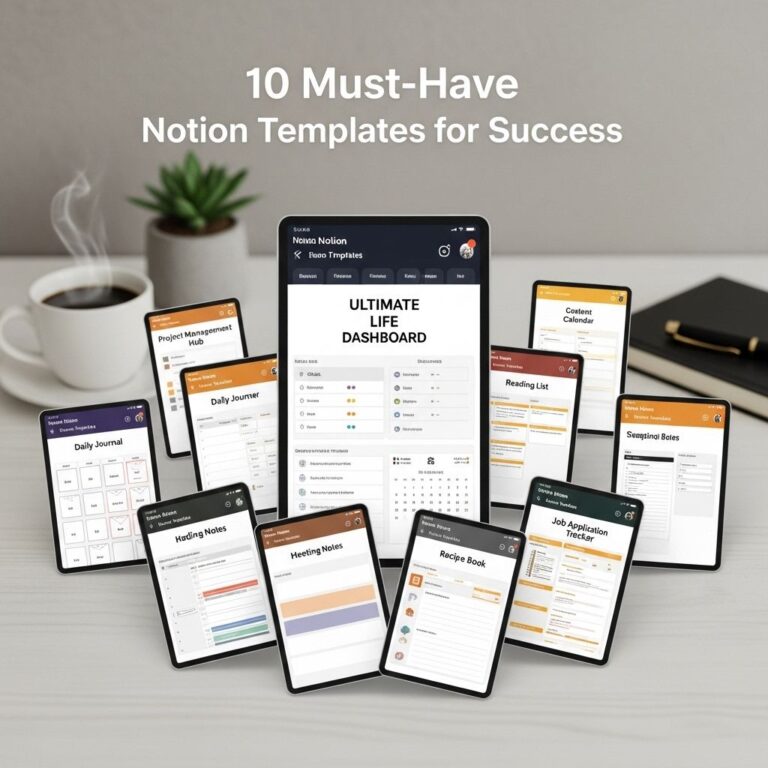
In today’s fast-paced world, productivity is paramount. With the right tools and templates, you can streamline your tasks, organize your thoughts, and achieve more in less time. Notion, a versatile workspace application, allows users to create highly customizable templates that cater to various needs—from project management to personal journals. In this article, we will explore ten of the best Notion templates designed to maximize your productivity and enhance your workflow.
Table of Contents
1. Project Management Dashboard
One of the most essential aspects of productivity is effective project management. A dedicated project management dashboard in Notion can help you track your projects, deadlines, and team members’ responsibilities.
Features:
- Customizable Kanban board
- Task assignment and tracking
- Progress indicators
- Due dates and notifications
2. Personal Goal Tracker
Setting and tracking goals is crucial for personal and professional growth. This template allows you to define your goals, break them down into actionable steps, and monitor your progress.
How to Use:
- Define your long-term and short-term goals.
- Break down each goal into smaller tasks.
- Set deadlines for each task.
- Regularly review your progress and adjust as needed.
3. Daily Planner
A daily planner template helps you organize your day efficiently. With sections for appointments, tasks, and notes, you can focus on what needs to be done.
Components of a Daily Planner:
| Section | Description |
|---|---|
| Tasks | List all your tasks for the day. |
| Appointments | Schedule your meetings and events. |
| Notes | Space for jotting down ideas or reminders. |
4. Reading List
If you’re an avid reader, keeping track of what you want to read can be challenging. This Notion template allows you to create a dynamic reading list.
Benefits:
- Track books, articles, and papers.
- Add notes and reviews.
- Organize by categories or genres.
5. Habit Tracker
Building good habits is essential for long-term success. A habit tracker in Notion helps you stay accountable and visualize your progress over time.
How it Works:
- List the habits you want to track.
- Mark off each day you successfully complete a habit.
- Use graphs to visualize your progress.
6. Content Calendar
For content creators, a content calendar is indispensable. This template helps you plan your content ahead of time, from blog posts to social media updates.
Key Features:
- Schedule and deadlines for each piece of content.
- Ideas and drafts section.
- Promotional strategy and platforms.
7. Travel Planner
Planning a trip can be overwhelming. A travel planner template in Notion can simplify your travel preparations by organizing itineraries, accommodations, and essentials.
What to Include:
| Section | Description |
|---|---|
| Itinerary | Daily schedule and activities. |
| Accommodation | Details of your stay, including address and check-in/check-out times. |
| Packing List | Items you need to bring. |
8. Expense Tracker
Keeping track of finances is crucial for personal and professional budgeting. An expense tracker helps you monitor your spending habits and plan accordingly.
How to Set It Up:
- List all your income sources.
- Document your expenses with categories.
- Analyze your spending patterns monthly.
9. Brainstorming Template
Creativity thrives in organized chaos. A brainstorming template allows you to jot down ideas, mind maps, and concepts whenever inspiration strikes.
Features:
- Flexible sections for different ideas.
- Visual mind mapping tools.
- Integration with other templates, like project management.
10. Team Collaboration Workspace
Effective collaboration is key to a successful team. This template facilitates communication, project updates, and shared resources, ensuring everyone is on the same page.
Essential Elements:
| Feature | Description |
|---|---|
| Shared Task Lists | Everyone can see and update tasks. |
| Meeting Notes | Document discussions and action items from meetings. |
| Resource Library | Store important files and documents for easy access. |
Conclusion
Notion is a powerful tool that offers users a plethora of options to enhance productivity. By utilizing these ten templates, you can tailor your workspace to fit your unique workflow and personal needs. Whether you’re managing projects, tracking habits, or planning trips, Notion can help you stay organized and efficient. Start exploring these templates today and transform the way you work!
FAQ
What are Notion templates?
Notion templates are pre-designed pages or databases that help users organize their tasks, notes, and projects efficiently within the Notion app.
How can Notion templates improve productivity?
Notion templates streamline workflows by providing a structured format for tracking tasks, managing projects, and storing information, allowing users to focus on their work instead of setup.
Where can I find the best Notion templates for productivity?
You can find top Notion templates for productivity on platforms like Notion’s template gallery, third-party websites, and community forums dedicated to Notion users.
Are Notion templates customizable?
Yes, Notion templates are highly customizable, allowing users to modify layouts, add or remove elements, and adjust features to suit their personal workflow.
Can I use Notion templates for team collaboration?
Absolutely! Notion templates can be shared with team members, making them great for collaborative projects and ensuring everyone is on the same page.
Are there free Notion templates available?
Yes, many creators offer free Notion templates, while also providing premium options for more advanced features and designs.