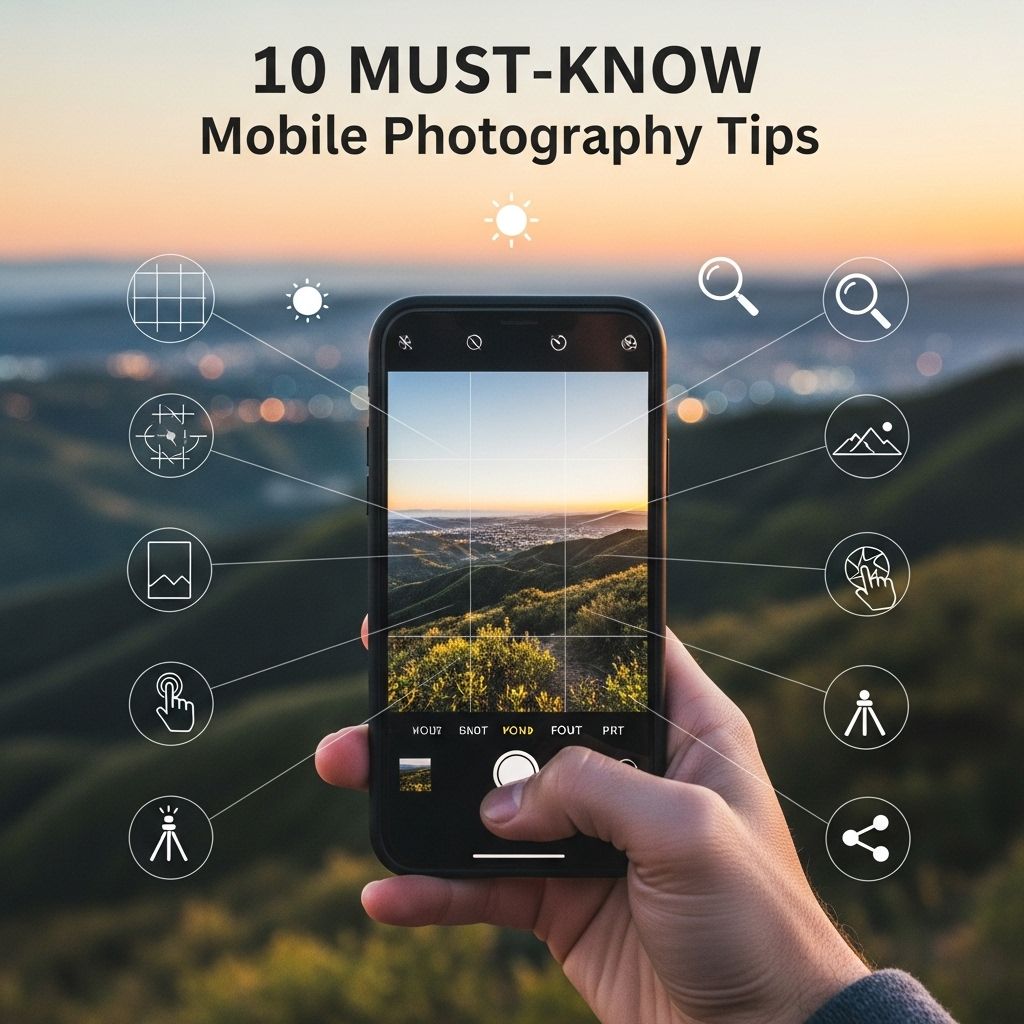
In the age of social media and instant sharing, mobile photography has become an essential skill for anyone who wishes to capture and share moments on the go. Whether you’re a novice trying to learn the ropes or an experienced photographer looking to enhance your skills, there are several techniques that can elevate your mobile photography game. Here are ten must-know tips that will help you take stunning photos with just your smartphone.
Table of Contents
Understanding Your Smartphone Camera
Your smartphone camera is a powerful tool that is often overlooked. Understanding its capabilities is vital to getting the best shots. Here are key aspects to consider:
- Resolution: Higher resolution means more detail. Aim for the highest quality settings available.
- Aperture: Different apertures affect the amount of light entering the lens. A wider aperture can create a nice depth of field.
- ISO Settings: Lower ISO settings produce clearer images but require more light, while higher ISO settings increase sensitivity but can introduce noise.
Composition Techniques
Good composition can vastly improve your mobile photographs. Here are several composition techniques to consider:
The Rule of Thirds
This classic technique involves dividing your image into nine equal parts using two horizontal and two vertical lines. Placing points of interest along these lines or at their intersections can create a more balanced and engaging photo.
Leading Lines
Using natural lines within your environment can guide the viewer’s eye toward the subject. This could be a road, path, or even a row of trees.
Framing
Use elements within the scene to frame your subject. This can create depth and draw attention to the focal point.
Utilizing Natural Light
Lighting plays a critical role in photography. Here’s how you can make the most of natural light:
- Golden Hour: Shoot during the golden hour (the hour after sunrise and before sunset) for soft, diffused light.
- Backlighting: Positioning your subject against the light can create dramatic silhouettes.
- Shadows: Embrace shadows to add depth and texture to your photos.
Editing Your Photos
Post-processing can transform an ordinary photo into something extraordinary. Consider these editing tips:
Choose The Right Editing Apps
There are numerous editing apps available; some popular options include:
| App Name | Features | Platform |
|---|---|---|
| Adobe Lightroom | Advanced editing tools, presets | iOS, Android |
| Snapseed | Brush tools, filters | iOS, Android |
| VSCO | Film-like filters, community sharing | iOS, Android |
Basic Adjustments
Focus on basic adjustments such as:
- Brightness
- Contrast
- Saturation
- Sharpness
Experimenting with Angles and Perspectives
Exploring different angles can yield unique results. Here’s how to play with perspectives:
- Get Low: Shooting from a low angle can make your subject appear larger and more dominant.
- High Angle: A high angle can provide context to the environment surrounding your subject.
- Close-Ups: Don’t be afraid to get close to your subject. Macro shots can reveal intricate details.
Using Accessories
Enhancing your mobile photography can be as simple as using the right accessories. Consider the following:
External Lenses
External lenses can add versatility to your smartphone camera:
- Wide-Angle Lenses: Perfect for landscapes and group shots.
- Macro Lenses: Great for close-up detail shots.
- Telephoto Lenses: Ideal for capturing distant subjects.
Tripods and Stabilizers
Stability is key for sharp images. Using a tripod or stabilizer can help avoid blurry photos, especially in low-light conditions.
Sharing Your Work
Once you’ve captured stunning images, sharing them effectively can make a big difference:
Choosing the Right Platform
Different social media platforms cater to different audiences:
- Instagram: Ideal for visual content, utilize hashtags to reach a wider audience.
- Flickr: A dedicated photography community for sharing and critiquing.
- Pinterest: Great for finding inspiration and sharing ideas.
Engaging with Followers
Interact with your audience to build a community. Respond to comments, ask for feedback, and participate in challenges to increase your visibility.
Conclusion
Mobile photography is an art form that thrives on creativity and innovation. By leveraging the tips outlined above, you can significantly enhance the quality of your photos and express your unique perspective. Remember, practice makes perfect, so keep shooting and experimenting with your smartphone camera!
FAQ
What are some essential mobile photography tips for beginners?
Start by understanding your camera settings, use natural light, and practice composition techniques like the rule of thirds to enhance your mobile photography.
How can I improve the quality of my mobile photos?
To improve photo quality, clean your lens regularly, use the highest resolution settings available, and avoid zooming in, as this can reduce image clarity.
What is the best lighting for mobile photography?
Natural light is ideal for mobile photography. Shoot during golden hour—shortly after sunrise or before sunset—for soft, flattering light.
How can I edit my mobile photos effectively?
Use mobile editing apps like Snapseed or Lightroom to adjust brightness, contrast, saturation, and apply filters while keeping your edits subtle for a natural look.
What composition techniques should I use in mobile photography?
Incorporate techniques such as leading lines, symmetry, and framing to create visually appealing compositions in your mobile photography.
Are there any specific apps I should use for mobile photography?
Yes, consider using apps like VSCO for filters, Adobe Lightroom for editing, and Snapseed for versatile editing tools to enhance your mobile photography.