In today’s digital age, capturing high-quality images on your mobile device has become an essential skill for both amateur and professional photographers. With advancements in smartphone technology, the ability to take stunning photos is now at our fingertips. Whether you’re documenting your travels, capturing memories with friends, or simply experimenting with your creativity, here are some essential mobile photography tips to elevate your skills and improve your photographic outcomes.
Capturing stunning photos with your mobile device can elevate your photography skills and showcase your creativity. Whether you’re shooting craft beer labels or scenic landscapes, these 10 essential mobile photo tips will help you make the most of your smartphone’s camera. Explore innovative concepts and inspiration, such as beer label design ideas, to enhance your visual storytelling.
Table of Contents
Understand Your Camera Settings
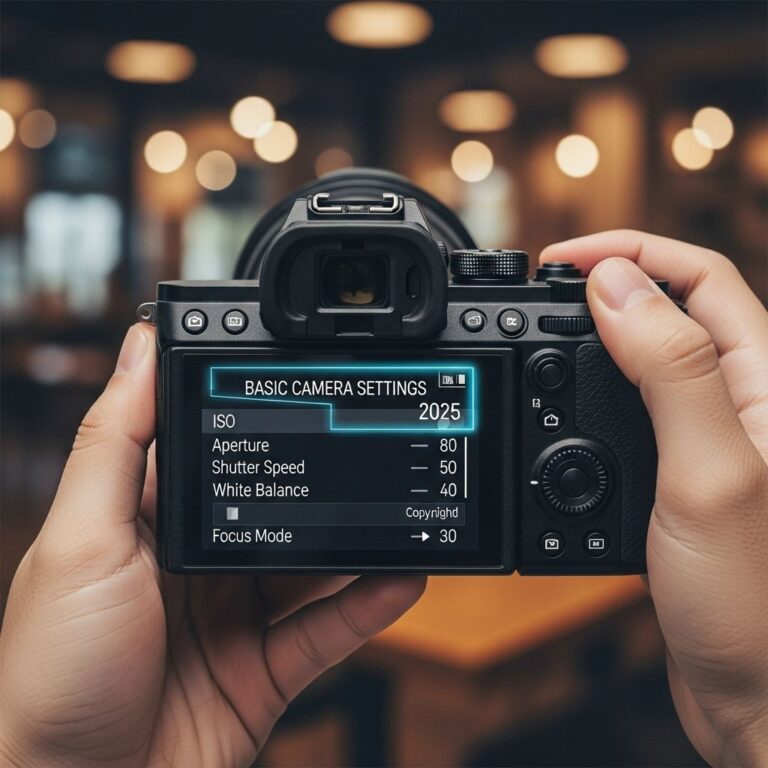
Modern smartphones come equipped with a variety of settings and features designed to enhance your photography. Understanding these functions can significantly improve the quality and creativity of your photos. Here are a few key settings to explore:
- ISO: Adjusting the ISO setting lets you control the camera’s sensitivity to light.
- Shutter Speed: This determines how long the camera sensor is exposed to light. Faster shutter speeds are great for capturing motion.
- Aperture: Affects the amount of light entering the lens and the depth of field in your photos.
- White Balance: Ensures accurate color representation based on the lighting conditions.
Utilize Natural Lighting
Natural light can dramatically enhance your photographs. Here are some tips on how to use it effectively:
Golden Hour
The golden hour, which occurs shortly after sunrise and before sunset, offers soft lighting that can add warmth and depth to your images. Consider the following:
- Plan your shoots around these times for optimal results.
- Experiment with angles to capture the best light.
Overcast Days
Cloudy days provide diffused light, which reduces harsh shadows. This is ideal for portrait photography and capturing details. Keep these tips in mind:
- Look for interesting backgrounds that complement the soft light.
- Take advantage of reflective surfaces to add depth to your shots.
Compose Like a Pro
Composition is critical in photography. Applying the following techniques can help you create visually striking images:
Rule of Thirds
Imagine dividing your image into nine equal parts with two horizontal lines and two vertical lines. Positioning your subject along these lines or their intersections can create balance. Use grid overlays on your camera app to assist with this.
Leading Lines
Utilize natural lines in your photography to guide the viewer’s eye. Examples include:
- Roads and paths
- Railings or fences
- Rivers or streams
Experiment with Angles and Perspectives
One of the most exciting aspects of mobile photography is the ability to change your perspective easily. Here are some tips to help you:
- Try shooting from low angles for a dramatic effect.
- Get high above your subject for an expansive view.
- Experiment with diagonal shots to create dynamic compositions.
Use Editing Apps Wisely
Editing is a crucial step in the mobile photography process. Here are some popular apps and tips for effective editing:
Popular Editing Apps
| App Name | Features |
|---|---|
| Snapseed | Filters, curves, healing brush, and selective adjustments |
| Adobe Lightroom | Advanced editing tools, presets, and cloud storage |
| VSCO | Predefined filters, editing tools, and community sharing |
Editing Tips
When editing, consider the following:
- Don’t overdo it; aim for a natural look.
- Adjust the exposure, contrast, and saturation to enhance your photo.
- Use cropping to improve composition during editing.
Keep Your Lens Clean
It’s easy to forget that the lens can accumulate dust, fingerprints, and smudges. Regularly cleaning your lens can prevent blurry images and enhance clarity. Here’s how:
- Use a microfiber cloth to gently wipe the lens.
- Avoid using clothing or rough materials that can scratch the surface.
Leverage Accessories
While mobile phones have excellent cameras, certain accessories can enhance your photography experience:
Tripods
A mini tripod can help stabilize your shots, especially in low-light conditions, allowing for longer exposures without motion blur.
Lenses
Clip-on lenses can provide different perspectives, such as wide-angle or macro shots, expanding your creative options.
Practice Patience and Experimentation
Lastly, one of the most important things to remember is to be patient and open to experimentation. Not every shot will be a masterpiece, but the more you practice, the better you will become. Here are a few tips to encourage this mindset:
- Set aside time to shoot regularly.
- Challenge yourself with themed photo projects.
- Review and analyze your work to identify areas for improvement.
With these tips in mind, you can unlock the full potential of your mobile device and create stunning photographs that capture the beauty and uniqueness of your surroundings. The world is full of moments waiting to be captured—get out there and start shooting!
FAQ
What are the best settings for mobile photography?
To get the best results in mobile photography, ensure your camera is set to the highest resolution, use HDR mode for challenging lighting, and adjust exposure manually when needed.
How can I improve lighting in my mobile photos?
Natural light is best for mobile photography. Shoot during golden hour for soft lighting, and avoid harsh midday sun. If indoors, position your subject near windows.
What composition techniques should I use for mobile photos?
Use the rule of thirds to create balanced compositions. Experiment with leading lines, symmetry, and framing to add interest to your shots.
How can I stabilize my mobile camera for clearer photos?
To reduce blur, keep your phone steady by using both hands or resting it on a stable surface. Consider using a tripod or a smartphone stabilizer for added stability.
What editing apps are recommended for mobile photos?
Popular editing apps include Adobe Lightroom, Snapseed, and VSCO. These apps offer powerful tools for adjusting exposure, color balance, and applying filters.
How can I take better portraits with my mobile phone?
For stunning portraits, use a wide aperture if available, focus on the eyes, and shoot in good lighting. Experiment with different angles and backgrounds for variety.