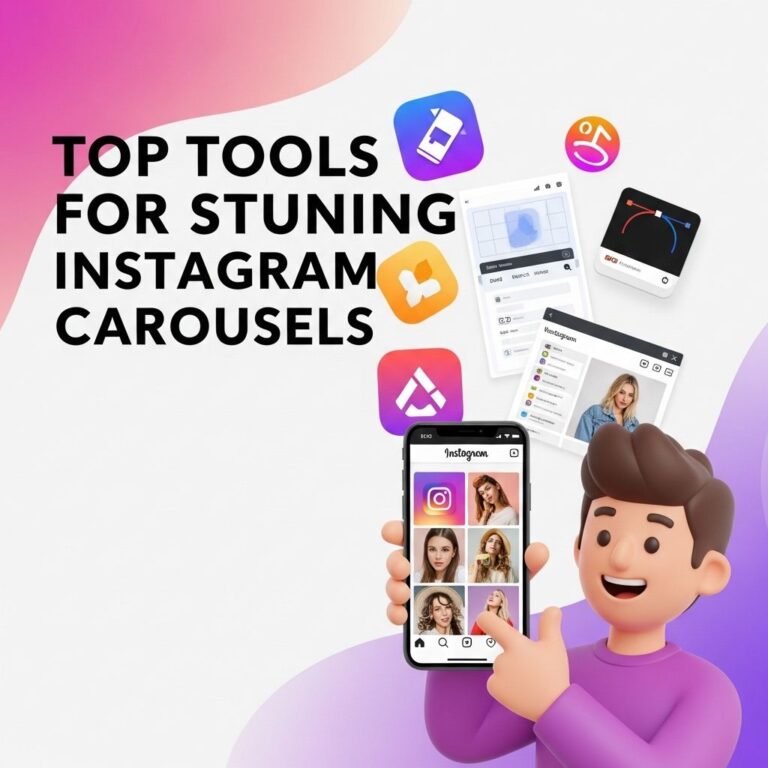
In the world of social media, visuals reign supreme, and Instagram carousels have become a popular tool for brands and creators to engage their audience. These multi-image posts allow for a more dynamic storytelling approach and can significantly increase user interaction. However, creating an engaging Instagram carousel requires more than just beautiful images; it demands strategic planning and creativity. Here are five essential tips to help you craft Instagram carousels that not only capture attention but also encourage followers to swipe through your content.
Creating engaging Instagram carousels is essential for capturing your audience’s attention and increasing interaction on your posts. By implementing effective design techniques and storytelling, you can turn a simple gallery into an immersive experience. For inspiration, check out some creative social media graphics.
Table of Contents
1. Start with a Strong Hook
The first slide of your carousel serves as the introduction to your content. It is crucial to captivate your audience instantly. Here are some ways to do this:
- Use Bold Text: Highlight your main message or question that resonates with your audience.
- Incorporate Eye-Catching Visuals: Choose images or graphics that draw the viewer’s eye and evoke curiosity.
- Pose a Provocative Question: Encourage viewers to engage mentally by asking something they want to know more about.
Example:
If your carousel is about travel tips, your first slide could display a stunning picture of a destination with the text: “Want to travel smarter? Here are 5 must-know tips!”
2. Maintain a Cohesive Theme
Cohesion in design and message makes your carousel visually appealing and easier to follow. Consider the following elements:
- Color Scheme: Use a consistent palette across all slides to create a unified look.
- Typography: Stick to one or two fonts to maintain readability and style.
- Image Style: Whether you opt for illustrations, photographs, or graphics, keep a consistent style throughout.
Benefits of a Cohesive Theme:
- Improves brand recognition.
- Enhances the user experience.
- Increases the likelihood of shares and saves.
3. Use Engaging Content Formats
Carousels are versatile and can include various content formats. Leverage these options to keep your audience engaged:
- Infographics: Present data and statistics in a visually appealing way.
- How-To Guides: Break down complex processes into easy-to-understand steps using a series of slides.
- Before & After Comparisons: Show transformations or results effectively using contrasting images.
How-To Example:
For a fitness-related carousel, your slides could detail a workout routine step-by-step, with each slide dedicated to a specific exercise.
4. Craft Compelling Captions
While the visuals are paramount, your captions play an essential role in enhancing the narrative and encouraging interaction:
- Provide Context: Use captions to explain the content in the carousel or share personal anecdotes.
- Include Calls to Action: Encourage viewers to swipe, comment, save, or share your post.
- Utilize Hashtags Wisely: Research relevant hashtags to increase visibility without cluttering your captions.
Effective Call to Action Examples:
- “Swipe to discover more tips!”
- “What’s your favorite tip? Let us know in the comments!”
- “Save this post for later!”
5. Analyze and Iterate
After posting your carousel, the work doesn’t stop. It’s crucial to analyze its performance and refine your approach:
- Check Engagement Metrics: Look at likes, comments, shares, and saves to gauge interest.
- Review Swipe Rate: Assess how many users swiped through all slides versus how many dropped off.
- Gather Feedback: Encourage your audience to share their thoughts on what they liked and what could be improved.
Tools for Analysis:
Utilize Instagram Insights to track performance data and adjust your future carousels accordingly.
Conclusion
Creating engaging Instagram carousels is an art that combines strategic planning, creativity, and a keen understanding of your audience. By starting with a strong hook, maintaining a cohesive theme, using various content formats, crafting compelling captions, and analyzing performance, you can elevate your Instagram presence and foster a deeper connection with your followers. Remember, the key to success lies not just in what you post, but how effectively you engage your audience in the process.
FAQ
What are Instagram carousels?
Instagram carousels are posts that allow users to share multiple photos and videos in a single post, which viewers can swipe through.
How can I make my Instagram carousels more engaging?
To create engaging Instagram carousels, use high-quality visuals, tell a compelling story, incorporate interactive elements, maintain a cohesive theme, and add captions that encourage interaction.
What types of content work best in Instagram carousels?
Content types that work well in carousels include tutorials, before-and-after transformations, product showcases, storytelling sequences, and behind-the-scenes glimpses.
Should I use text in my Instagram carousel images?
Yes, using text in your carousel images can help convey your message more effectively, but it should be clear, concise, and complement the visuals.
How many images or videos should I include in an Instagram carousel?
While Instagram allows up to 10 images or videos in a carousel, it’s best to focus on quality over quantity. Aim for 5-7 compelling pieces of content.
How can I promote my Instagram carousel posts?
Promote your Instagram carousel posts by using relevant hashtags, engaging with your audience in the comments, sharing them on your stories, and collaborating with influencers to reach a wider audience.