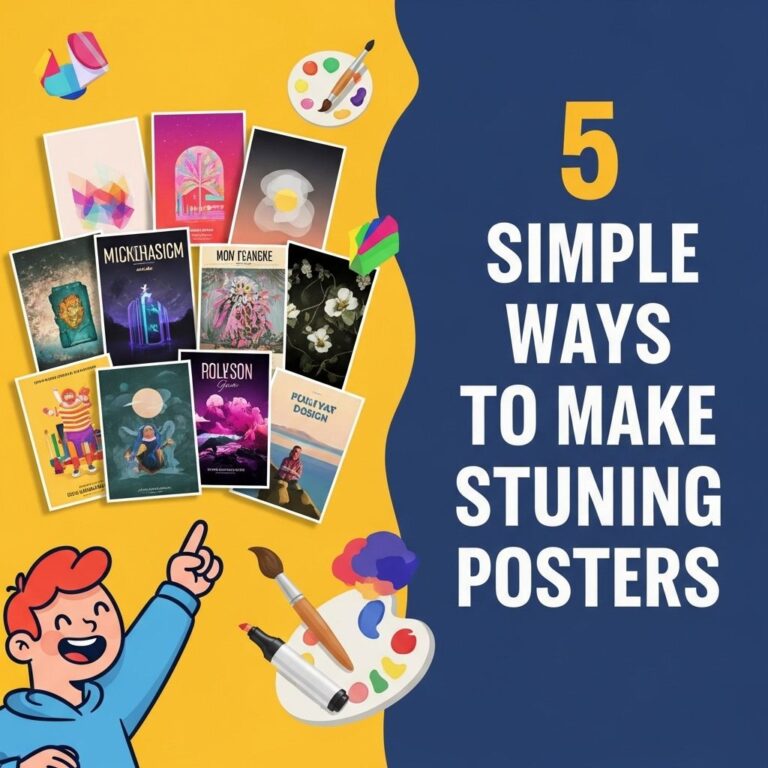
Creating stunning posters can be a rewarding endeavor, whether you’re promoting an event, a product, or just expressing your creativity. With the right tools and techniques, anyone can design eye-catching posters that grab attention and convey messages effectively. In this article, we will explore five easy ways to elevate your poster design, making it visually appealing and impactful.
Table of Contents
1. Leverage Graphic Design Software
To begin your journey into poster design, utilizing graphic design software is essential. These tools provide a plethora of features that can enhance the quality of your posters. Here are a few popular options:
- Adobe Photoshop: A robust tool for image editing and design, ideal for professionals.
- Canva: A user-friendly online platform perfect for beginners, offering templates and drag-and-drop features.
- GIMP: A free, open-source alternative to Photoshop with powerful capabilities.
- Inkscape: An excellent choice for vector graphics, useful for scalable designs.
Choosing the Right Software
When selecting the software, consider the following:
- Your level of expertise.
- The complexity of your design.
- Budget constraints.
2. Understand Color Theory
Color plays a vital role in poster design. Understanding color theory can help you create harmonious designs that attract the viewer’s eye. Here are some key considerations:
Color Schemes
Utilize different color schemes to set the tone of your poster:
| Color Scheme | Effect |
|---|---|
| Monochromatic | Creates a cohesive look |
| Complementary | High contrast, dynamic |
| Analogous | Harmonious and pleasing |
| Triadic | Vibrant and balanced |
Choosing Colors
Select a palette that resonates with your message and audience. You can use tools like Adobe Color or Coolors to help generate color palettes that fit your design.
3. Design with Typography in Mind
Typography is crucial in poster design, as it affects readability and aesthetics. Here are some typography tips to consider:
Font Selection
Select fonts that align with the mood of your message:
- Serif Fonts: Traditional and formal.
- Sans Serif Fonts: Modern and clean.
- Script Fonts: Artistic and personal.
Hierarchy and Legibility
Ensure that your text hierarchy is clear:
- Use larger sizes for headlines.
- Employ contrasting colors for emphasis.
- Limit the number of different fonts to maintain consistency.
4. Incorporate Compelling Imagery
Images can elevate your poster’s message. Here’s how to effectively use visuals in your design:
Choosing Images
Select high-quality images that complement your text. Consider the following:
- Use stock photo websites like Unsplash or Pexels for free, high-resolution images.
- Ensure images are relevant and support your message.
Image Placement
Strategic image placement can enhance the visual flow of your poster:
- Align images with textual elements.
- Consider the rule of thirds for dynamic composition.
- Use negative space to prevent overcrowding.
5. Print and Distribute with Quality in Mind
Once your design is complete, it’s time to print and distribute your poster. Here are some tips to ensure high-quality output:
Print Quality
Choose the right paper and print settings:
- Paper Type: Glossy for vibrant colors, matte for a more subdued finish.
- Resolution: Ensure images are at least 300 DPI for print clarity.
Distribution Strategies
Consider various channels for distribution:
- Local businesses and community boards.
- Online platforms like social media and websites.
- Events and gatherings related to your poster’s theme.
Conclusion
Designing stunning posters is an exciting process that can yield excellent results when approached with creativity and knowledge. By leveraging graphic design software, understanding color theory, minding typography, incorporating compelling imagery, and ensuring high-quality printing and distribution, you can create posters that not only capture attention but also communicate effectively. Start experimenting with these tips, and watch your poster design skills flourish!
FAQ
What are the key elements of a stunning poster design?
The key elements of a stunning poster design include a strong focal point, balanced layout, effective use of color, clear typography, and engaging visuals.
How can I choose the right colors for my poster?
To choose the right colors for your poster, consider your target audience, the message you want to convey, and the emotions you want to evoke. Use color theory principles to create harmony and contrast.
What tools can I use to create posters easily?
You can use design tools like Canva, Adobe Spark, or Piktochart to create posters easily. These platforms offer templates and user-friendly interfaces, making design accessible even for beginners.
How do I select the right typography for my poster?
Select typography that matches the theme of your poster. Ensure that the fonts are readable from a distance, complement each other, and maintain a consistent style throughout the design.
What size should I make my poster?
The size of your poster depends on its purpose. Common sizes include 24×36 inches for large displays or 11×17 inches for smaller posters. Always consider how and where it will be displayed.