Creating a professional-looking YouTube channel doesn’t have to break the bank. With a budget of $500, you can acquire equipment and tools that elevate your content’s quality without sacrificing your wallet. In this guide, we will explore the essential components of a budget-friendly YouTube setup, providing you with a roadmap to produce impressive videos that attract and retain viewers.
If you’re looking to start your YouTube journey without breaking the bank, there are plenty of creative and effective setup ideas you can implement for under $500. From cameras and lighting to microphones and backgrounds, enhancing your video quality is more achievable than ever. For unique visual elements, consider utilizing customizable tube templates.
Table of Contents
Essential Equipment for Your YouTube Setup
Your YouTube setup starts with the right equipment. Here’s a list of essential gear that you should consider:
- Camera: A good quality camera is crucial for producing engaging visual content.
- Microphone: Clear audio is just as important as video quality.
- Lighting: Proper lighting can dramatically improve your video quality.
- Editing Software: Software will help you polish your videos.
- Tripod or Stabilizer: To ensure steady shots.
Choosing Your Camera
When selecting a camera, it’s important to balance quality and cost. Here are a few options that fit within a budget:
Recommended Cameras
| Camera | Price | Key Features |
|---|---|---|
| Canon EOS M50 | $499 | DSLR quality, interchangeable lenses |
| Logitech C920 | $79 | Webcam, 1080p video recording |
| GoPro HERO9 | $399 | Action camera, waterproof, 5K video |
Investing in Audio Equipment
Audio quality can make or break your videos. Viewers are more forgiving of poor video quality than they are of bad audio. Here are some budget-friendly microphones:
Microphone Options
- Rode VideoMicro: $59 – Compact shotgun microphone ideal for cameras.
- Blue Yeti USB Microphone: $129 – Great for voiceovers and podcasts.
- Lavalier Microphone: $25 – Clip-on microphone for interviews and tutorials.
Lighting Solutions
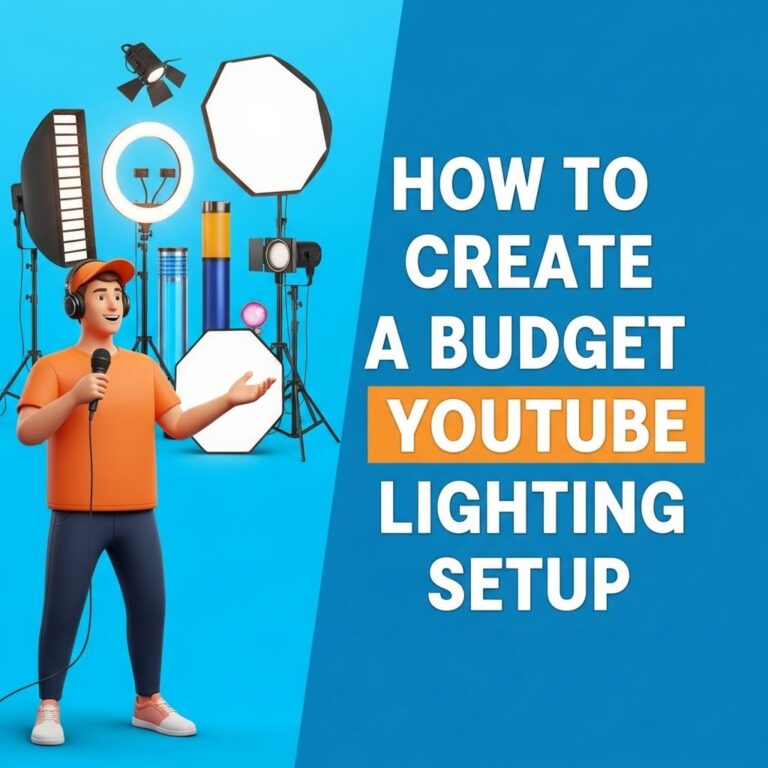
Good lighting can enhance the look of your videos significantly. Here are two effective lighting setups:
Lighting Options
- Ring Light: $99 – Provides even lighting, great for close-ups.
- Softbox Lighting Kit: $119 – Ideal for a well-lit environment.
Editing Software to Enhance Your Videos
Editing is where the magic happens. Here are some budget editing software options:
Editing Software Recommendations
| Software | Price | Key Features |
|---|---|---|
| DaVinci Resolve | Free | High-quality editing with advanced features |
| HitFilm Express | Free | Professional-grade editing with visual effects |
| Adobe Premiere Elements | $99 | Beginner-friendly interface with solid features |
Setting Up Your Filming Space
Your filming environment can greatly impact your content. Consider the following tips:
Creating a Great Background
- Choose a clean, uncluttered space.
- Add personal touches like artwork or plants.
- Ensure good lighting, avoiding harsh shadows.
Tips for Recording Quality Content
Now that you have your gear and setup, keep these additional tips in mind:
Recording Tips
- Plan your content ahead of time.
- Practice your delivery for a polished presentation.
- Engage with your audience, ask questions, and encourage interaction.
Maximizing Your Budget
Here are some strategies for making the most of your $500 budget:
- Consider purchasing used equipment to save money.
- Look for bundles or discounts from retailers.
- Invest in versatile equipment that can grow with your channel.
Final Thoughts
Starting a YouTube channel on a budget is entirely feasible with some research and creativity. By focusing on essential equipment and a well-thought-out setup, you can produce high-quality content that resonates with your audience. Remember, content is king; even with basic gear, your unique voice and perspective can shine through, making you stand out in a crowded platform.
FAQ
What equipment do I need for a budget YouTube setup under $500?
For a budget YouTube setup under $500, consider investing in a decent camera (like a smartphone with a good camera or a budget DSLR), a tripod for stability, an external microphone for better audio quality, and basic lighting equipment such as softbox lights or ring lights.
Can I create quality YouTube videos with a smartphone?
Yes, many YouTubers create high-quality videos using just their smartphones. Ensure you use good lighting, stabilize your phone with a tripod, and use an external microphone for improved audio.
What is the best budget microphone for YouTube?
The Rode VideoMicro and the Audio-Technica ATR2100x are excellent budget-friendly microphones that provide great audio quality for YouTube videos without breaking the bank.
How important is lighting for YouTube videos?
Lighting is crucial for YouTube videos as it affects the overall video quality. Good lighting can enhance your appearance and make your videos look more professional. Consider natural light or affordable softbox lights.
What editing software can I use for free to edit my YouTube videos?
Free editing software options like DaVinci Resolve, Shotcut, and HitFilm Express are great for beginners. They offer various features to edit videos effectively without any cost.
Are there any tips for filming YouTube videos on a budget?
Yes! Use natural light whenever possible, keep your background tidy, plan your shots, and rehearse your content to minimize mistakes. Additionally, use free editing software to save on costs.