In an era where our lives are intricately intertwined with technology, ensuring online security has never been more crucial. Cyber threats are more sophisticated than ever, and personal data is a valuable target for cybercriminals. This article aims to provide actionable strategies to enhance your online security, safeguarding both personal and professional information.
In today’s digital age, safeguarding your online presence is more crucial than ever. Implementing essential security tips can protect your personal information and enhance your overall privacy. For those interested in creative pursuits, exploring resources such as wine packaging designs can help you stay inspired while focusing on your online security.
Table of Contents
Understanding the Threat Landscape
To effectively protect yourself, it’s important to understand the different types of cyber threats you may encounter:
- Phishing: Fraudulent attempts to obtain sensitive information by disguising as a trustworthy entity.
- Malware: Malicious software designed to disrupt, damage, or gain unauthorized access to computer systems.
- Data Breaches: Unauthorized access and retrieval of sensitive information by cybercriminals.
- Ransomware: A type of malware that encrypts a victim’s files and demands payment for the decryption key.
Essential Steps to Enhance Your Online Security
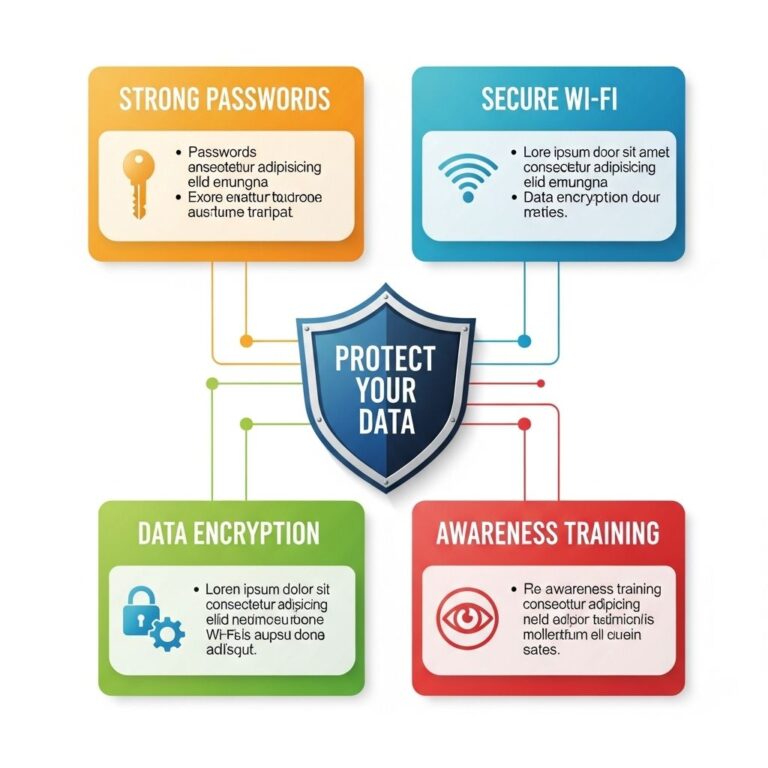
1. Utilize Strong, Unique Passwords
One of the simplest yet most effective ways to boost online security is to use strong and unique passwords for different accounts. Here’s how to create a robust password:
- Combine uppercase and lowercase letters, numbers, and symbols.
- Aim for a minimum of 12 characters.
- Avoid common words or easily guessable information like birthdays or names.
2. Implement Two-Factor Authentication (2FA)
Two-factor authentication adds an extra layer of security. Even if someone gets hold of your password, they won’t be able to access your account without the second factor. Options for 2FA include:
- SMS codes sent to your mobile phone.
- Authentication apps like Google Authenticator or Authy.
- Hardware tokens for sensitive accounts.
3. Keep Software Up to Date
Software developers frequently release updates to patch security vulnerabilities. Ensure that:
- Your operating system is set to update automatically.
- Applications and browsers are regularly updated.
- Antivirus software is installed and updated to defend against new threats.
The Role of VPNs in Online Security
Virtual Private Networks (VPNs) are an essential tool for maintaining privacy, especially on public Wi-Fi networks. Here’s why you should consider using a VPN:
| VPN Benefits | Description |
|---|---|
| Data Encryption | VPNs encrypt your internet traffic, making it difficult for hackers to intercept your data. |
| IP Address Masking | Hide your real IP address to prevent tracking and maintain anonymity online. |
| Access to Geo-Restricted Content | Bypassing geographical restrictions allows access to websites and content that may be blocked in your region. |
4. Be Wary of Public Wi-Fi
While public Wi-Fi is convenient, it can also be a hotbed for cyber threats. To use public connections safely:
- Avoid accessing sensitive information, like banking sites.
- Use a VPN to secure your connection.
- Turn off sharing settings on your device.
Social Media Privacy Settings
Many individuals overlook privacy settings on social media, which can lead to data leaks. To enhance privacy:
- Review and adjust privacy settings regularly.
- Limit the amount of personal information you share publicly.
- Be cautious about friend requests and connections from unknown persons.
5. Educate Yourself on Cybersecurity Best Practices
Knowledge is a powerful tool in protecting yourself online. Consider:
- Taking online courses on cybersecurity basics.
- Following reputable cybersecurity blogs and news sites.
- Participating in webinars and workshops focused on online safety.
Managing Your Digital Footprint
Your digital footprint consists of the information you leave behind online. Managing it effectively can help enhance your security. Consider the following:
- Regularly search for your name online to see what information is available about you.
- Request removal of personal information from data broker websites.
- Be mindful of the information you share in online forums and communities.
6. Backup Important Data Regularly
Backups are essential for recovering from data loss due to cyberattacks. Here’s how to ensure your data is safe:
- Utilize cloud storage solutions with strong security features.
- Keep an external hard drive or USB drive with backups of critical files.
- Establish a regular schedule for backups—weekly or monthly.
Conclusion
Boosting your online security requires a proactive approach and ongoing vigilance. By implementing the strategies outlined above, you can significantly reduce the risk of falling victim to cyber threats. Remember, in the digital world, prevention is far better than cure; safeguarding your information is an ongoing journey, not a destination.
FAQ
What are the best practices for enhancing online security?
To enhance online security, use strong and unique passwords, enable two-factor authentication, keep your software updated, and be cautious of phishing attempts.
How can I create a strong password?
A strong password should be at least 12 characters long, include a mix of uppercase and lowercase letters, numbers, and special characters, and avoid using easily guessable information.
What is two-factor authentication and why is it important?
Two-factor authentication (2FA) adds an extra layer of security by requiring not just a password but also a second form of verification, such as a text message code, making it harder for unauthorized users to access your accounts.
How often should I update my passwords?
It’s recommended to update your passwords every 3 to 6 months, especially for sensitive accounts, and immediately if you suspect any security breach.
What are common signs of a phishing attempt?
Common signs of phishing attempts include unexpected emails asking for personal information, suspicious links, poor grammar and spelling, and messages that create a sense of urgency.
Should I use a password manager for online security?
Yes, using a password manager can help you create, store, and manage strong passwords securely, reducing the risk of password fatigue and reuse.