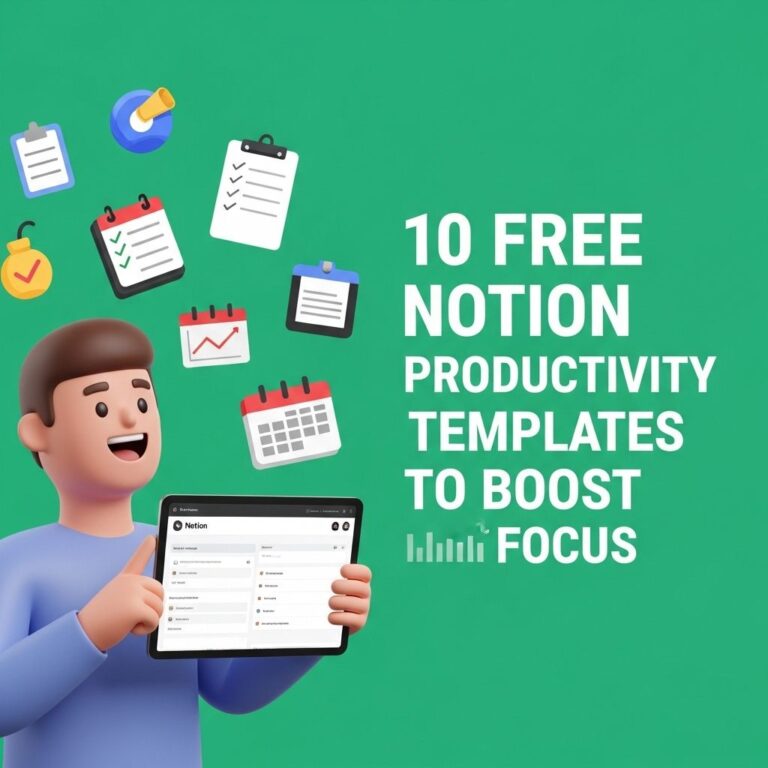
In today’s fast-paced digital landscape, efficiency is the key to staying ahead. Whether you’re a student managing your coursework, a professional juggling multiple projects, or a creative looking to organize ideas, effective tools can make all the difference. One such tool that has gained immense popularity is Notion. It’s a versatile platform that combines note-taking, task management, and collaboration features in one place. But, did you know that there are numerous free Notion tools available that can enhance your productivity? In this article, we’ll explore some of the best free Notion tools and how they can boost your efficiency.
Table of Contents
Understanding Notion
Before diving into the tools, let’s take a moment to understand what Notion is and why it’s so effective for productivity. Notion is an all-in-one workspace that allows users to:
- Create notes and documents
- Manage tasks and projects
- Build databases and wikis
- Collaborate with teams in real-time
Its flexibility and customization options make it a favorite among tech-savvy individuals and teams alike. However, to unlock its full potential, integrating additional tools can streamline workflows and save time.
Top Free Notion Tools
1. Notion Templates
Templates are pre-designed pages or databases that help you get started quickly. Many users share their templates for free, covering various use cases. Here are some popular categories:
- Project Management: Templates designed to keep track of tasks and deadlines.
- Personal Productivity: Daily planners, habit trackers, and journals.
- Knowledge Management: Wiki templates for documentation or research.
To find free templates, websites like Notion’s official template gallery or community-driven platforms like Notion VIP are great resources.
2. Notion API
The Notion API allows developers to build custom integrations with the platform, enhancing its functionality. If you’re tech-savvy or have programming skills, you can create applications that interact with your Notion workspace. Some examples include:
- Automated data entry from forms
- Syncing Notion with other apps like Trello or Google Calendar
- Creating custom dashboards for analytics
For detailed documentation, check out the Notion API documentation.
3. Notion Widgets
Widgets can add additional functionality to your Notion pages, making them more interactive and visually appealing. Some popular widget options include:
- Weather Widgets: Show current weather updates.
- Countdown Timers: Perfect for tracking deadlines or events.
- Calendar Integrations: Display events from Google Calendar.
For a wide variety of widgets, platforms like Indify and WidgetBox offer free options.
Enhancing Collaboration with Free Tools
Notion is inherently a collaborative tool, but certain free integrations can enhance its collaborative capabilities:
4. Discord Integration
For teams using Discord for communication, integrating it with Notion can streamline discussions and updates. You can set up notifications for changes made in Notion or create command triggers that pull information directly into your Discord server.
5. Zapier
Zapier is a powerful automation tool that connects different applications. With its free plan, you can automate tasks between Notion and other platforms, such as:
- Automatically create Notion entries from new emails.
- Send reminders to Slack when deadlines approach.
- Add tasks from Google Forms submissions.
Setting up Zaps is user-friendly and requires no coding skills, making it accessible for everyone.
Mastering Notion for Personal Use
While Notion is great for team collaboration, it’s equally beneficial for personal productivity. Here are some techniques to maximize your Notion experience:
6. The PARA Method
The PARA method, developed by Tiago Forte, is a system for organizing digital information. It stands for:
| Category | Description |
|---|---|
| Projects | Current commitments and tasks you’re working on. |
| Areas | Ongoing responsibilities you want to manage. |
| Resources | Useful materials and information. |
| Archives | Inactive or completed items. |
Implementing the PARA method in Notion can help you keep your workspace organized and efficient.
7. Daily Journals and Habit Trackers
Utilizing Notion for daily journaling or tracking habits can significantly enhance personal growth. You can create templates that allow you to:
- Reflect on your daily experiences
- Set and review goals weekly
- Track your progress on habits
Consistency in these practices can lead to substantial improvements over time.
Conclusion
Notion is a powerful tool that, when combined with free resources, can drastically improve your efficiency and productivity. Whether you’re enhancing collaboration in a team setting or organizing your personal life, the right free Notion tools can make all the difference. Explore the tools mentioned in this article, experiment with templates, and embrace the flexibility of Notion to harness its full potential. The key to productivity lies not just in the tools you use but in how effectively you can leverage them to fit your unique workflows.
FAQ
What are Notion tools and how can they boost my efficiency?
Notion tools are customizable templates and extensions designed to enhance productivity and organization within the Notion app. They can help streamline your workflow, manage projects, and keep track of tasks effectively.
Are there really free Notion tools available?
Yes, there are many free Notion tools available, including templates for project management, habit tracking, and note-taking. These tools can help you maximize your use of Notion without any cost.
How do I find free Notion templates?
You can find free Notion templates on websites like Notion’s official template gallery, community forums, and platforms like Reddit or GitHub. Many creators share their templates for public use.
Can I customize free Notion templates to fit my needs?
Absolutely! One of the main advantages of Notion is its flexibility. You can easily customize any free template to suit your personal or team needs, adjusting layouts, content, and functionalities.
What types of free Notion tools are most popular?
Popular free Notion tools include project management boards, personal dashboards, habit trackers, reading lists, and study planners. These tools are designed to help users stay organized and efficient.
Is there a learning curve to using Notion tools?
While Notion is user-friendly, there may be a slight learning curve when first using it or specific tools. However, many resources, including tutorials and guides, are available to help you get started quickly.