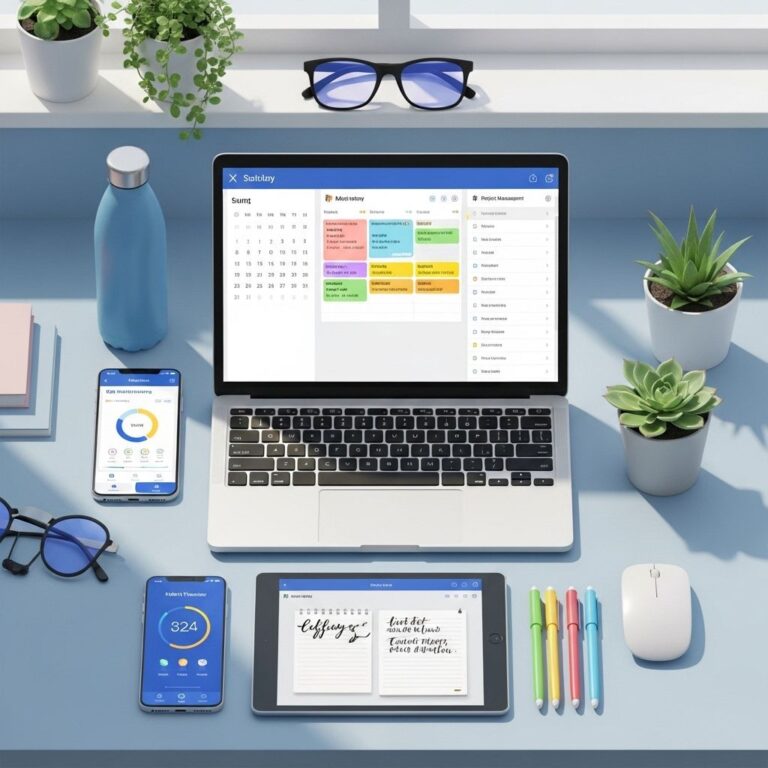
Notion has taken the productivity world by storm, offering a flexible workspace for note-taking, project management, and task tracking. While the platform comes with numerous built-in features, users can elevate their Notion experience through the use of templates. With countless free templates available, it can be daunting to sift through them all to find the best ones. In this article, we will explore ten of the best free Notion productivity templates that can help you streamline your workflows and boost your efficiency.
Table of Contents
1. Task Manager
This template is perfect for individuals and teams looking to organize their tasks effectively. The Task Manager template allows you to break down large projects into smaller tasks, assign due dates, and set priority levels.
Features:
- Task assignment
- Due date reminders
- Priority levels
The layout is intuitive, making it easy to visualize your tasks and progress.
2. Weekly Planner
A weekly planner is essential for anyone wanting to manage their time better. This template provides an overview of your week, allowing you to block out time for tasks and appointments.
Benefits:
- Visual layout of your week
- Easy drag-and-drop functionality
- Integration with other Notion pages
Customize it with color coding to prioritize tasks based on urgency or importance.
3. Personal Dashboard
For those who want an all-in-one view of their life, the Personal Dashboard is a great choice. This template consolidates your tasks, reminders, and goals into a single page.
Key Elements:
| Element | Description |
|---|---|
| Task List | Your current tasks |
| Goals | Long-term and short-term objectives |
| Notes | Space for random thoughts |
This comprehensive overview keeps everything organized and accessible.
4. Reading List
If you’re a bibliophile, the Reading List template is a must-have. Track the books you want to read, the ones you are currently reading, and those you’ve completed.
Customization Options:
- Add ratings and reviews
- Sort by genre
- Link purchase locations
With this template, you can easily manage your reading habits and set reading goals.
5. Habit Tracker
Building new habits can be challenging, but with the Habit Tracker template, you can track your progress on a daily basis. This template allows you to set multiple habits you want to develop over time.
Tracking Mechanism:
- Daily checkboxes for habit completion
- Progress bars for visualization
- Weekly and monthly views
Having a visual representation of your habits can serve as motivation and help you stay accountable.
6. Project Management Board
Ideal for teams, the Project Management Board template enables users to manage projects from start to finish. You can track the status of tasks and collaborate with team members seamlessly.
Features:
- Kanban-style boards
- Status updates
- Team collaboration features
This template is particularly useful for Agile project management methodologies.
7. Goal Setting Template
Setting and achieving goals can be daunting without a structured approach. The Goal Setting Template helps you define, track, and review your objectives systematically.
Goal Breakdown:
| Goal Type | Description |
|---|---|
| Short-term | Goals achievable within a few weeks |
| Long-term | Goals that require months or years to accomplish |
Using this template can help you remain focused and organized on your path to success.
8. Travel Planner
For travel enthusiasts, the Travel Planner template organizes trip logistics and itineraries efficiently. You can plan where to stay, what to see, and your travel budget all in one place.
Essential Features:
- Itinerary overview
- Budget tracker
- Accommodation details
This template makes planning your next adventure enjoyable and less stressful.
9. Meeting Notes
Streamline your meeting documentation with the Meeting Notes template. Capture key points, decisions, and action items directly within Notion.
Pros:
- Structured note-taking
- Easy sharing with team members
- Follow-ups for action items
Keeping your meeting notes organized can enhance communication and productivity in your team.
10. Budget Tracker
Managing finances can be challenging without a structured format. The Budget Tracker template allows you to input income and expenses, helping you stay on top of your financial situation.
Functionality:
| Feature | Description |
|---|---|
| Income Tracker | Record all sources of income |
| Expense Tracker | Log all expenses and categorize them |
This transparency into your finances can empower you to make informed decisions.
Conclusion
These ten free Notion productivity templates can significantly enhance your organizational skills, time management, and overall efficiency. Whether you’re an individual looking to boost personal productivity or a team seeking to improve collaboration, these templates can be customized to fit your needs. Explore these options today and start transforming your Notion workspace into a productivity powerhouse!
FAQ
What are the best free Notion productivity templates?
The best free Notion productivity templates include task managers, project planners, habit trackers, personal dashboards, and notes organizers.
How can I use Notion templates to boost my productivity?
You can use Notion templates to organize your tasks, streamline project management, track your goals, and maintain a structured workflow.
Where can I find free Notion productivity templates?
Free Notion productivity templates can be found on websites like Notion Template Gallery, Reddit communities, and various productivity blogs.
Are Notion templates customizable?
Yes, Notion templates are highly customizable, allowing you to modify layouts, add or remove sections, and tailor them to fit your specific needs.
Can I create my own Notion productivity template?
Absolutely! You can create your own Notion productivity template by designing pages that suit your workflow and saving them for future use.
What features should I look for in a Notion productivity template?
Look for features like task lists, calendar views, progress tracking, collaboration tools, and integration options with other apps.