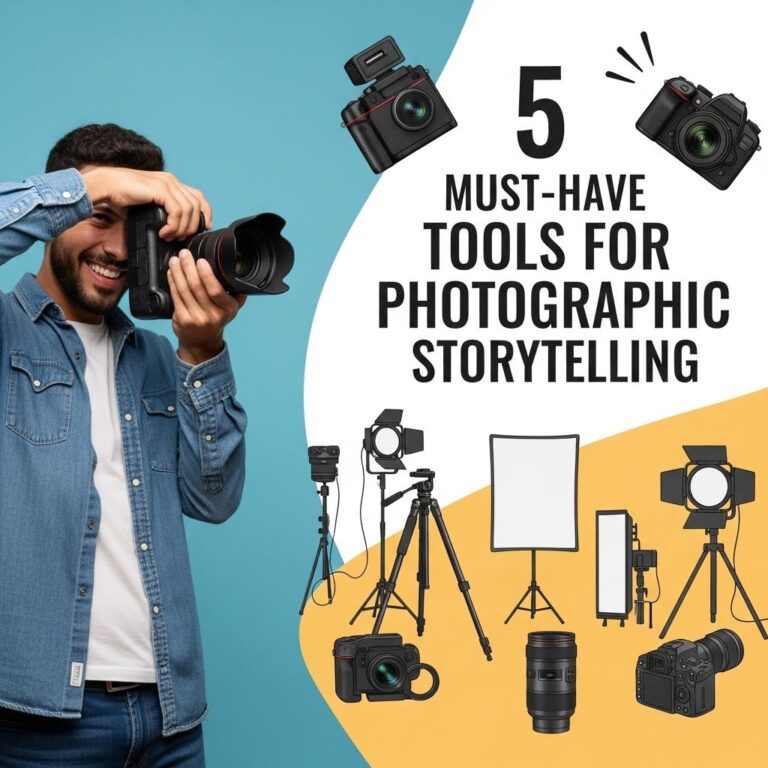
In today’s digital age, visual content has become a dominant form of communication. Whether you’re a professional photographer, a social media influencer, or simply someone who loves to document life through images, having the right tools can elevate your storytelling game. This article explores five essential tools that can help you create stunning photo stories that captivate your audience and convey your message effectively.
In the realm of visual storytelling, the right tools can transform ordinary images into compelling narratives. From photo editing software to effective presentation techniques, mastering these five essential tools can enhance your storytelling capabilities significantly. For instance, using bag mockups for branding can elevate product visuals and capture your audience’s attention.
Table of Contents
1. Adobe Lightroom
Adobe Lightroom is a powerful photo editing software that allows photographers to enhance their images, organize their photo collections, and share their work seamlessly. Here are some of its standout features:
- Non-Destructive Editing: Edit photos without losing original quality.
- Advanced Color Correction: Adjust hues, saturation, and luminance for better visual impact.
- Presets: Use or create presets to streamline your editing process.
- Cloud Sync: Access and edit your photos from anywhere on any device.
Getting Started with Lightroom
To make the most of Lightroom, consider the following steps:
- Import your photos and organize them into collections based on themes or events.
- Use the editing tools to adjust exposure, contrast, and colors.
- Save your favorite edits as presets for future projects.
- Export your images in various formats suitable for web or print.
2. Canva
Canva is a graphic design platform that enables users to create stunning visuals without requiring advanced design skills. Ideal for creating photo stories, infographics, and social media posts, Canva offers:
- User-Friendly Interface: Drag-and-drop functionality that makes design a breeze.
- Templates: Thousands of templates for different types of visual content.
- Collaboration Features: Share your designs with team members or clients for feedback.
- Brand Kit: Keep your branding consistent with custom fonts, colors, and logos.
Creating Visual Stories with Canva
Follow these steps to create a compelling visual story using Canva:
- Select a template that resonates with your story’s theme.
- Upload your photos and replace the template images.
- Add text overlays to provide context or narration to your visuals.
- Download and share your design across your preferred platforms.
3. StoryStream
StoryStream is a content marketing platform designed to help brands create and manage visual storytelling. It excels in curating user-generated content and integrating it into marketing campaigns. Key features include:
- Content Curation: Aggregate photos and videos from social media using specific hashtags or keywords.
- Campaign Management: Organize storytelling campaigns for specific products or events.
- Analytics: Measure the engagement and impact of your visual content.
- Integration: Connect with existing marketing tools for a seamless workflow.
Building Brand Stories with StoryStream
To leverage StoryStream for your brand’s photo storytelling:
- Set up your campaign objectives and target audience.
- Curate user-generated content that aligns with your brand’s narrative.
- Create a content calendar to plan and schedule your posts.
- Analyze performance metrics to refine future campaigns.
4. Snapseed
Snapseed is a mobile photo editing app by Google that offers a wide range of editing tools and features. Its intuitive interface makes it accessible for both amateurs and professionals. Some key functionalities are:
- Selective Adjustments: Fine-tune specific areas of your photo.
- Healing Tool: Remove unwanted distractions from your images.
- Vintage Filters: Apply creative filters for a unique look.
- RAW Support: Edit high-quality RAW images directly from your phone.
Edit on the Go with Snapseed
For effective mobile photo storytelling:
- Capture images in RAW format for maximum editing flexibility.
- Use the selective adjustments tool to highlight key elements.
- Experiment with different filters to find the right aesthetic.
- Share your edited photos directly to social media platforms.
5. InShot
InShot is a versatile video and photo editing app that allows users to create engaging multimedia content. It’s particularly useful for creating dynamic photo stories that combine images, video clips, and music. Notable features include:
- Video Editing: Trim, cut, and merge video clips with ease.
- Music Library: Add background music or voiceovers to your stories.
- Text and Stickers: Overlay text and stickers for added context and creativity.
- Aspect Ratios: Edit videos in various aspect ratios suitable for different platforms.
Creating Dynamic Narratives with InShot
To craft compelling photo stories using InShot:
- Import your photos and video clips into the app.
- Arrange them chronologically to create a narrative flow.
- Add music and text to enhance storytelling.
- Export your final product and share it across social media channels.
Conclusion
With the right tools at your disposal, you can take your photo storytelling to new heights. From editing and design to content management and multimedia creation, each of these tools offers unique features that cater to different aspects of visual storytelling. By integrating these tools into your workflow, you can create captivating narratives that engage your audience and leave a lasting impression. Experiment with these platforms, find what resonates with your style, and let your creativity shine through your photo stories.
FAQ
What are the best tools for photo storytelling?
Some of the best tools for stunning photo storytelling include Adobe Lightroom, Canva, Snapseed, Pixlr, and StoryMapJS.
How can I use Adobe Lightroom for photo storytelling?
Adobe Lightroom allows you to enhance and edit your photos, create collections, and maintain a consistent style throughout your storytelling.
Is Canva suitable for photo storytelling?
Yes, Canva is an excellent tool for photo storytelling as it offers templates and design features that help you combine images with text and graphics effectively.
What features does Snapseed provide for enhancing photos?
Snapseed offers powerful editing tools, filters, and effects, making it easy to enhance your photos for storytelling.
Can I create interactive stories with StoryMapJS?
Absolutely! StoryMapJS allows you to create interactive maps and timelines that can enhance your photo storytelling by providing context and location.
What is Pixlr and how can it help my photo storytelling?
Pixlr is a web-based photo editor that provides various editing tools and overlays, making it easy to create visually appealing images for your stories.