In today’s fast-paced digital landscape, the integration of artificial intelligence (AI) into design processes is revolutionizing the way creatives work. With the right tools and a strategic approach, anyone can leverage these advancements to generate a steady income. Imagine earning an additional $500 a month simply by utilizing AI design tools effectively. This article explores various ways you can tap into this lucrative opportunity, highlighting useful tools, tips for maximizing your income, and real-world examples of successful utilization.
Discover how you can earn $500 a month by leveraging AI design tools to create engaging content for social media. Utilizing resources like visual presentation mockups can streamline your design process and enhance your creative output. With the right strategies, you can turn your design skills into a lucrative side hustle.
Table of Contents
Understanding AI Design Tools
AI design tools are software applications that use artificial intelligence to assist in creating visual content. They can streamline repetitive tasks, suggest design elements, and even generate unique graphics autonomously. A few key features of these tools include:
- Automated Design Suggestions: Tools that analyze your style and provide relevant design recommendations.
- Image Generation: AI applications that create images from text prompts or enhance existing images.
- Template Creation: Systems that offer templates tailored to your requirements.
Popular AI Design Tools
Here are some of the most popular AI design tools currently available:
| Tool Name | Main Features | Pricing |
|---|---|---|
| Canva | Templates, photo editor, drag-and-drop interface | Free & Premium options |
| Adobe Spark | Design templates, video creation, branding options | Free & Subscription |
| DeepArt | Art style transfer, image enhancement | Pay-per-use |
| Designify | Background removal, image enhancement | Free & Paid |
Ways to Monetize AI Design Skills
Once you have a grasp of the tools available, the next step is figuring out how to monetize your design skills effectively. Here are some proven methods:
Freelancing
Freelancing is one of the quickest ways to start earning money with AI design tools. Platforms like Upwork and Fiverr offer opportunities to connect with clients who need design services. To stand out:
- Create a strong portfolio showcasing your best work.
- Set competitive yet fair pricing for your services.
- Market your freelance services across social media channels.
Print-on-Demand Merchandise
Utilize your design skills to create custom merchandise such as t-shirts, mugs, and posters. Platforms like Redbubble and Teespring allow you to upload your designs without upfront costs. Steps to get started:
- Choose a niche that resonates with your target audience.
- Create unique, eye-catching designs using AI tools.
- Promote your products on social media and through online ads.
Social Media Content Creation
Businesses are continuously searching for visually appealing content for their social media platforms. With AI design tools, you can:
- Design attention-grabbing graphics for posts.
- Create templates for consistent branding.
- Generate video content with ease.
Building a Personal Brand
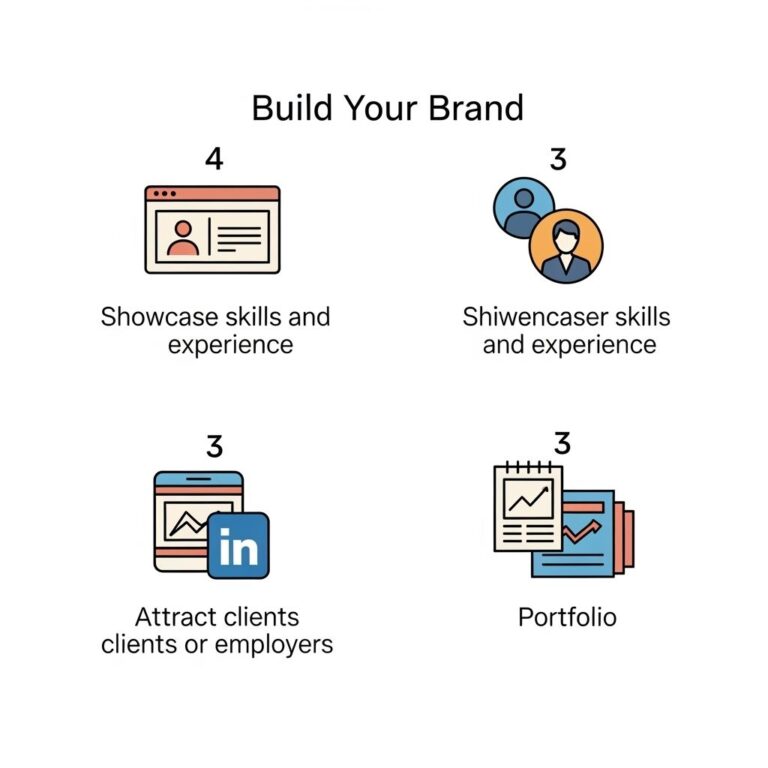
Creating a personal brand can help you establish yourself in the design community and attract more clients. Here are some steps to build your brand:
Identify Your Niche
Focus on a specific area of design that you enjoy. Whether it’s logo design, social media graphics, or product packaging, identifying your niche can help you target your audience more effectively.
Engage with Your Audience
Utilize social media platforms to share your work and interact with your audience. Regularly posting content that showcases your skills will help you gain visibility and strengthen your personal brand.
Showcase Your Work
Utilize platforms like Behance, Dribbble, or personal websites to showcase your portfolio. The more visible your work is, the more likely you are to attract clients.
Tips for Maximizing Income
To reach your income goal of $500 per month, consider the following strategies:
- Diversify Your Income Streams: Don’t rely on just one source of income. Combine freelancing with print-on-demand and social media content creation.
- Optimize Your Workflow: Learn shortcuts within AI tools to enhance your efficiency, allowing you to take on more projects.
- Network with Other Creatives: Join online communities or local meetups to connect with other designers and potential clients.
Case Studies of Successful AI Designers
Looking at successful examples can provide inspiration and practical insights. Here are two case studies:
Case Study 1: Sarah the Freelance Designer
Sarah started using AI design tools to enhance her freelance graphic design business. By focusing on social media content, she was able to charge clients a premium for her services. Her monthly earnings grew from $200 to over $700 in just four months. Sarah attributes her success to:
- Effective use of AI tools to speed up her design process.
- Strong branding and consistent online presence.
Case Study 2: Mike’s Merchandise Store
Mike used AI tools to create unique designs for his print-on-demand store. By identifying a niche in eco-friendly products, he managed to establish a steady flow of customers. His efforts have resulted in a monthly profit of $600. Key takeaways from Mike’s journey include:
- Choosing a niche that resonates with current trends.
- Leveraging social media for promotion and engagement.
Conclusion
Earning an additional $500 per month using AI design tools is not only feasible but also an exciting opportunity for tech-savvy individuals. By harnessing the capabilities of these innovative tools and following effective monetization strategies, you can transform your creative skills into a profitable venture. Start exploring the world of AI design today, and watch as your income potential grows!
FAQ
What are AI design tools?
AI design tools are software applications that use artificial intelligence to assist users in creating visual content, graphics, and designs more efficiently.
How can I earn $500 a month using AI design tools?
You can earn $500 a month by offering design services, creating custom graphics for businesses, or selling digital products like templates and illustrations using AI design tools.
Do I need design experience to use AI design tools?
No, many AI design tools are user-friendly and designed for individuals without extensive design experience, allowing anyone to create professional-looking designs.
What types of projects can I create with AI design tools?
You can create a variety of projects including social media graphics, logos, infographics, presentations, and marketing materials using AI design tools.
Which AI design tools are recommended for beginners?
Some recommended AI design tools for beginners include Canva, Adobe Spark, and Crello, which offer intuitive interfaces and templates to get started quickly.
Can I sell designs created with AI design tools?
Yes, you can sell designs created with AI design tools, but be sure to check the licensing agreements of the tools you use to ensure compliance.