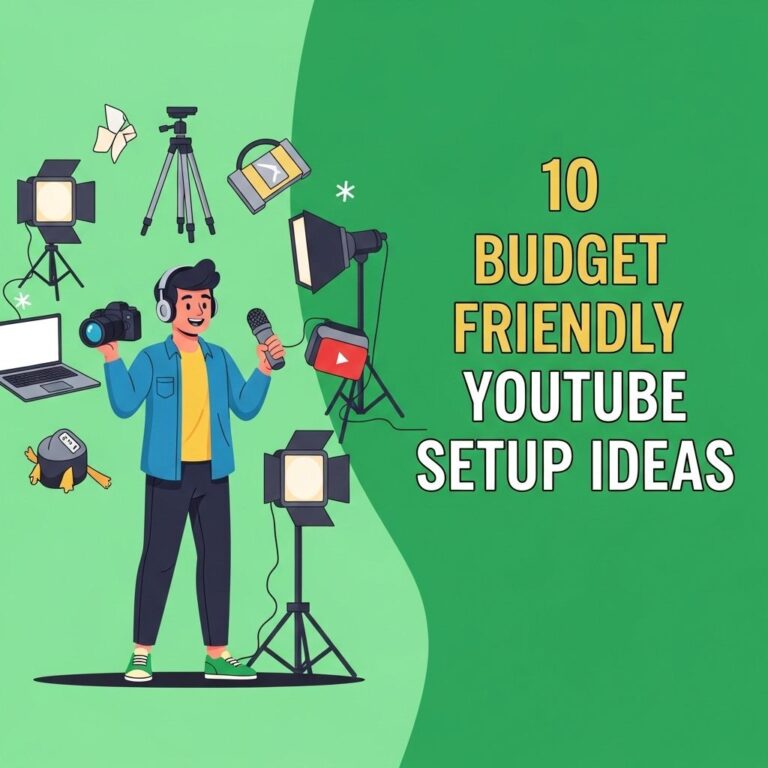
Creating a YouTube studio on a budget of $200 might seem daunting, but with some strategic planning and resourceful decisions, you can set up a functional and aesthetically pleasing space that enhances your video production quality. This article aims to guide you through the essential components of a YouTube studio and how to effectively utilize your budget.
Table of Contents
Understanding Your Requirements
Before diving into purchases, it’s vital to identify the type of content you plan to create. Here are some questions to consider:
- What is the primary focus of your channel (e.g., gaming, vlogging, educational content)?
- What style of video production are you aiming for (e.g., high production quality, casual, live streaming)?
- What equipment do you currently possess?
Essential Equipment for Your Studio
To create a successful YouTube studio, you’ll need to invest in key components that contribute to video and audio quality. Here’s a breakdown of the essentials:
1. Camera
While professional cameras can be incredibly expensive, there are budget-friendly alternatives:
- Smartphone: Modern smartphones can shoot in 1080p or even 4K. If you already own a recent model, this could be your best option.
- Entry-level DSLR or Mirrorless Camera: If you’re looking to spend a bit more, consider brands like Canon or Nikon for entry-level models that can usually be found for around $200.
2. Audio Equipment
Good audio is crucial for viewer retention. Here are some budget-friendly audio options:
- Lavalier Microphone: Clip-on mics, such as the BOYA BY-M1, are inexpensive and improve audio quality significantly.
- USB Microphone: Options like the Fifine K669B provide excellent sound quality and are easy to set up.
3. Lighting
Lighting can dramatically affect the quality of your videos. Here are some budget options:
- Softbox Lights: These are relatively inexpensive and can create soft, diffused light.
- Ring Lights: Perfect for vlogging, a good ring light can often be found for under $50.
- Natural Light: Don’t underestimate the power of natural light! Shooting during the day near a window can provide great results.
4. Tripod or Stabilizer
Stability is vital for video quality. Consider the following:
- Basic Tripod: A sturdy tripod can be found for less than $30 on platforms like Amazon.
- Gimbal Stabilizer: If you plan to capture moving shots, a gimbal can enhance your video quality considerably.
Setting Up Your Studio Space
Now that you have an idea of what equipment you need, let’s focus on the physical space where you’ll be shooting. Here are some tips:
1. Choose the Right Location
Select a quiet area free from interruptions and noise. Consider using a room where you can control the lighting and sound.
2. Create a Backdrop
Your backdrop is important for visual appeal. Consider these budget-friendly options:
- Solid Color Wall: If possible, use a plain wall to avoid distractions.
- DIY Backdrops: Use inexpensive fabric or posters to create an interesting background.
3. Organize Your Gear
Keep your studio organized to streamline your workflow. Use storage solutions like:
- Storage bins for cables and accessories
- Wall-mounted shelves to hold equipment
- A dedicated space for your camera and lighting setup
Editing Software for Your Videos
Editing is crucial to producing high-quality content. Here are some free or low-cost editing software options:
- DaVinci Resolve: A powerful free video editing tool loved by beginners and professionals alike.
- HitFilm Express: Great for creating visual effects and editing, available for free with optional paid features.
- iMovie: Perfect for Mac users who need intuitive editing software.
Promoting Your YouTube Channel
Once your studio is set up, it’s time to create and promote your content. Here are some tips for growing your audience:
1. Consistent Posting Schedule
Stick to a regular posting schedule to keep your audience engaged. Use tools like Trello or Google Calendar to plan your content.
2. Engage with Your Audience
Respond to comments, ask for feedback, and create polls to engage your viewers and build a community around your channel.
3. Leverage Social Media
Utilize platforms like Instagram, Twitter, and TikTok to share snippets of your videos and gain traction.
Budget Breakdown
Here’s a sample budget breakdown for setting up your YouTube studio:
| Item | Estimated Cost |
|---|---|
| Smartphone/Camera | $0 (if already owned), $200 (entry-level) |
| Lavalier Microphone | $20 |
| Softbox Lights | $50 |
| Tripod | $30 |
| Editing Software | $0-$50 (depending on choice) |
Total Estimated Cost: $200 (if utilizing existing equipment)
Conclusion
Creating a YouTube studio on a budget is entirely feasible with careful planning and smart purchasing. By focusing on essential equipment, optimizing your space, and promoting your channel effectively, you can produce compelling content without breaking the bank. The key is to make the most of what you have and continuously improve your setup as your channel grows.
FAQ
What essential equipment do I need to create a $200 YouTube studio?
To create a budget-friendly YouTube studio for $200, you will need a decent camera (like a smartphone), a good microphone, basic lighting (softbox or ring light), and a tripod.
Can I use my smartphone to create YouTube videos?
Yes, many YouTubers successfully use smartphones to record high-quality videos. Ensure your phone has a good camera and use external microphones for better audio.
How can I improve the lighting in my YouTube studio on a budget?
You can enhance your lighting by using natural light from windows, DIY softboxes with affordable materials, or inexpensive LED ring lights to create a well-lit environment.
What software can I use for editing videos on a budget?
Free editing software like DaVinci Resolve, Shotcut, or Lightworks can be great choices for beginners looking to edit videos without spending money.
Is it possible to create engaging content without high-end equipment?
Absolutely! Engaging content is more about storytelling and presentation than equipment. Focus on delivering value, and invest in equipment gradually as your channel grows.
What are some tips for setting up a YouTube studio in a small space?
Use multifunctional furniture, choose a simple backdrop, keep the area organized, and utilize vertical space to maximize your small studio for filming your videos.